★★★★★5 out of 5Muy buena experiencia
La verdad, todo estuvo súper fácil. La eSIM se instaló rapidísimo y la conexión ha funcionado muy bien hasta ahora. Cero complicaciones, seguro la vuelvo a usar en mi próximo viaje.
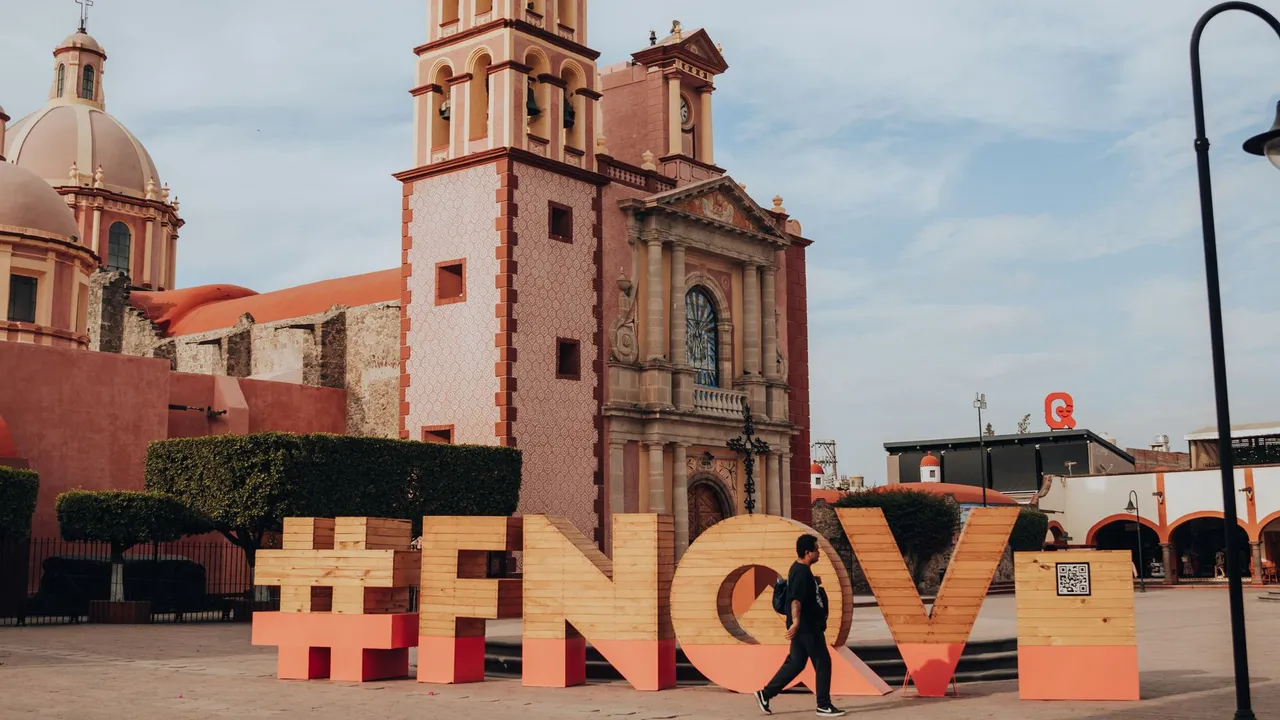

Viasimo's Mexico eSIM starts at $1.29 for 100 MB over 7 days, running on AT&T and Telcel with 5G where available. Plans last 1 to 180 days, arrive by email in minutes and install from your phone's settings, with no app.
Duration







Unlimited data · 3 Days ×1
$18.99
Dial *#06# on your phone. If you see an EID number, your phone takes an eSIM. Most phones sold since 2019 do.
Not sure it works on your phone? Check compatibilityHost networks: AT&T / Telcel
Your eSIM picks one automatically; you do not choose or switch between them.
The allowances below are our sizing recommendations, not measurements. The plan beside each one is the cheapest option on this page that covers it.
| You are | Plan for | Cheapest plan that covers it |
|---|---|---|
| LightMaps, messaging and the occasional lookup | About 1 GB a week | $3.291 GB, 7 days |
| TypicalMaps, social, photos and some browsing | About 3 to 7 GB a week | $13.995 GB, 30 days |
| HeavyVideo streaming, video calls and uploads | 10 GB a week or more | $23.9910 GB, 30 days |
| Working or sharingTethering a laptop, calls and cloud sync | 20 GB a week or more | $38.99Unlimited, 7 days |
Charged per day
Your carrier roaming
Queue and plastic
A SIM at the airport
$1.29
Viasimo, one bundle
Only the Viasimo figure is a price: it comes from today’s live catalog. The other two rows are directional, not quoted rates.
Each row puts one of our plans beside the closest plan Airalo and Holafly list for the same destination: the same data allowance and a similar number of days.
| Plan | Viasimo (USD) | Airalo (USD) | Holafly (USD) |
|---|---|---|---|
| 5 GB · 30 days | $13.99 | $13.00 | No comparable plan |
| 10 GB · 30 days | $23.99 | $18.50 | No comparable plan |
| 20 GB · 30 days | $42.00 | $31.00 | No comparable plan |
| 50 GB · 30 days | $134.99 | $45.00 | No comparable plan |
| Unlimited · 7 days2 GB a day at full speed | $38.99 | $23.50 | $23.90 |
Competitor prices collected from their public websites on 23 September 2026. Prices change; check before buying. Competitor prices are in US dollars as each site lists them, not converted. Unlimited plans can carry different fair-use limits from one provider to another.
Sources: Airalo, Mexico (); Holafly, eSIM for Mexico ()
5.0 out of 5 from 2 reviews
★★★★★5 out of 5Muy buena experiencia
La verdad, todo estuvo súper fácil. La eSIM se instaló rapidísimo y la conexión ha funcionado muy bien hasta ahora. Cero complicaciones, seguro la vuelvo a usar en mi próximo viaje.
★★★★★5 out of 5Purchased 15 day e-sim
I got the 15 day plan, and installing it was incredibly smooth and easy. I’m not a technical person at all, so I really appreciated how simple the whole process was, all I had to do was click a button and boom, it was installed! The speed has been great too. fast.com showed around 170 Mbps, and sometimes even higher. Overall, a really smooth experience. That’s pretty much all I have to say, but I’m definitely happy with it!
Yes. Your Mexico eSIM connects automatically the moment you arrive, with no roaming fees and nothing to set up at the airport. The host networks it can use are AT&T, Telcel. Coverage runs on 4G LTE and 5G where the network has rolled it out, and falls back to 4G elsewhere.
Yes, where it has been deployed. 5G runs on AT&T, Telcel in Mexico, and your eSIM uses it automatically on a 5G-capable phone, dropping back to 4G LTE outside covered areas. No country is covered everywhere, so 5G availability varies by location.
Not reliably with a travel eSIM. Mexico City's SASMEX system warns people through more than 8,200 street loudspeakers, giving up to about a minute's notice. The official 911 CDMX alert app works with Mexican phone numbers, which a data-only eSIM doesn't have. Learn the siren's sound, follow AlertaSísmica SASMEX on X, and ask your hotel about evacuation routes.
It can lead to trouble. The UK Foreign Office reports that licensed taxi drivers in Cancún have protested against Uber, sometimes pulling tourists out of Uber cars and blocking roads. At the airport, official advice is to use authorised prepaid airport taxis. A shuttle to Playa del Carmen or Tulum booked in advance is another easy option.
Criminals call or message your family claiming you've been kidnapped or arrested and demand money, sometimes using a stolen or hacked phone to seem more convincing. Before travelling, agree a code word and a contact plan with your family. If anyone gets a threatening call, they should hang up and contact you directly, for example on WhatsApp.
Dial 911 for police, fire and medical emergencies anywhere in Mexico. Because the eSIM is data only, call from your home SIM, or ask your hotel to call. Save your embassy's number and your travel insurer's 24-hour line as well, and keep a screenshot of your hotel address in Spanish to read out.
Hurricane season generally runs from June to November, on both the Caribbean coast (Cancún, Riviera Maya) and the Pacific coast (Puerto Vallarta, Los Cabos, Acapulco). Follow the US National Hurricane Center and local authorities, enable push alerts in a weather app, and download offline maps before a storm, as power and mobile networks can go down.
For 7 days in Mexico, Viasimo sells 100 MB for $1.29, 500 MB for $2.29, 1 GB for $3.29, and unlimited data for $38.99. Our sizing recommendation, not a measurement: maps, messaging and the occasional lookup, about 1 GB a week; maps, social, photos and some browsing, about 3 to 7 GB a week. The data calculator on this site works it out from how you actually use your phone.
Installing, keeping your number, topping up and hotspot work the same everywhere: see how it works →
In Mexico this eSIM gives you data on Telcel and AT&T, but some local services won't work with it. The official 911 CDMX earthquake-alert app requires a Mexican phone number, the Cancún taxi dispute affects which transport is safe to book, and phone-based virtual kidnapping scams mean your family should agree a plan with you before you leave.
Main airports
Mexico City has a public earthquake warning system, SASMEX, run by the CIRES research centre. Its sensors detect an earthquake and broadcast an alert, which sounds from more than 8,200 street loudspeakers across the city and is relayed by local broadcasters. Depending on where the quake starts, people in Mexico City can get up to about a minute's warning. The Metro also receives the alert and stops or holds trains. The system covers several other cities too, including Puebla, Oaxaca, Acapulco, Morelia, Guadalajara and Toluca.
The UK Foreign Office points to the 911 CDMX app, which sends earthquake warnings for Mexico City. However, it works with Mexican phone numbers, and this eSIM is data only with no local number, so don't rely on it. Instead, learn what the siren sounds like, follow AlertaSísmica SASMEX on X for updates, and when you check in, ask your hotel where its safe zones and exits are.
Earthquakes can knock out power and phone networks. After a large tremor, send a short WhatsApp message home as soon as you can, before networks become congested.
The UK Foreign Office advises using only authorised prepaid airport taxis when you arrive, and licensed sitio taxis from official ranks, or a taxi ordered by your hotel, when you're in town. Australian advice adds that ride-hailing apps are generally a safer option than taxis flagged down in the street, because unauthorised taxis are linked to express kidnappings, where victims are forced to withdraw cash from ATMs.
Cancún is a special case. Licensed taxi drivers there have protested against Uber, blocking roads and even pulling tourists out of Uber cars. If you land at Cancún (CUN), the simplest option is a prepaid airport taxi or a shuttle booked in advance to Playa del Carmen or Tulum. Keep the booking confirmation as a screenshot on your phone.
When you withdraw money, use ATMs inside shops or shopping centres during the day, and avoid taking out large amounts. Australian advice warns that gangs have targeted travellers after they changed money at airports, so keep your phone and wallet out of sight as you leave the terminal.
One crime in Mexico specifically targets your phone and your family. In a virtual kidnapping, criminals phone or message someone, pretend a relative or colleague has been kidnapped or arrested, and demand an urgent money transfer. They're more convincing if they've stolen or hacked the phone of the person they claim to be holding, so they can contact that person's friends and family directly.
Before you travel, the UK and Australian governments recommend agreeing with family how you'll keep in touch and how money would be sent in a real emergency. Practical steps include:
If you get a threatening call, hang up and contact the person who is supposedly in danger yourself. With your eSIM, you can usually reach them on WhatsApp within a few seconds. Avoid using public wifi and Bluetooth, which can expose your accounts.
Mexico's hurricane season usually runs from June to November and affects both coasts: the Caribbean side from Cancún to Tulum and the Pacific resorts such as Puerto Vallarta, Acapulco and Los Cabos. Storms bring flooding, landslides and transport disruption, and flooding and strong winds can continue after a storm has passed.
The UK Foreign Office recommends following updates from the US National Hurricane Center and the local authorities, and obeying any evacuation orders. Turn on push alerts in a weather app while you have a connection, so warnings reach you without you having to check. Save your tour operator's and airline's WhatsApp numbers too, as flight changes are often announced at short notice.
Mobile networks and power can fail during a storm. When a hurricane is forecast, charge a power bank, download offline maps of where you are and your route to higher ground, and screenshot your hotel booking, flight details and insurance policy. Message home before the storm arrives to say where you'll be sheltering.
A culture-focused first week: four days in Mexico City for the Aztec centre, the anthropology museum, Teotihuacán and Coyoacán, then a short flight to Oaxaca for Monte Albán, craft villages and the Mitla valley.
When to go October to April is dry and mild in both cities, with Día de Muertos in late October and early November especially strong in Oaxaca; May is the hottest month and June to September brings afternoon storms.
Day 1 Mexico City
Mexico City airport to the Centro Histórico is about 30 to 60 minutes; use an authorised prepaid airport taxi or a ride-hailing app.
Start on the Zócalo with the Metropolitan Cathedral and the Palacio Nacional, where Diego Rivera's murals line the main staircase; bring your passport for entry. Walk to the Templo Mayor, the excavated heart of Aztec Tenochtitlan, and its museum. In the afternoon, follow Calle Madero to the Casa de los Azulejos and the Palacio de Bellas Artes, then view it from the terrace across the road at sunset.
Signal Telcel and AT&T 4G and 5G cover central Mexico City, and the Metro has signal in many stations. The 911 CDMX alert app needs a Mexican number, so learn the sound of the street earthquake sirens instead.
Day 2 Mexico City
Spend the morning at the Museo Nacional de Antropología, focusing on the Mexica hall with the Sun Stone and the Maya and Oaxaca galleries. Walk through Chapultepec Park and climb to Chapultepec Castle for its murals and view down the Paseo de la Reforma. In the evening, walk the tree-lined streets of Roma and Condesa around Parque México.
Signal Strong 4G and 5G across Chapultepec, Roma and Condesa. The museum's courtyard has good coverage, though the interior galleries are weaker.
Day 3 Mexico City
Teotihuacán is about 50 km north-east of the city, around 1 hour by bus from the Terminal del Norte or by tour or ride-hailing car.
Arrive at Teotihuacán, a UNESCO site, when it opens to beat the heat and crowds. Walk the Avenue of the Dead from the Ciudadela and the Temple of the Feathered Serpent to the Pyramid of the Sun and the Pyramid of the Moon; climbing rules change, so check on the day. Visit the site museum and the murals at the Palace of Quetzalpapálotl before heading back in the afternoon.
Signal 4G is generally good across the site on Telcel. Bring water and sunscreen; there is very little shade and phones overheat on the pyramids at midday.
Day 4 Mexico City
Coyoacán is about 30 minutes from the centre by taxi; Xochimilco is around 30 to 45 minutes further south.
Visit the Museo Frida Kahlo, the Blue House in Coyoacán, with a timed ticket booked in advance, then walk to the plazas and the market in central Coyoacán. In the afternoon, head south to Xochimilco, part of the UNESCO site, and hire a trajinera boat through the canals and chinampas, the floating fields that survive from the Aztec era. Agree the time and route at the official embarcadero.
Signal Good 4G in Coyoacán. On the Xochimilco canals the signal is generally usable, though data slows when the boats are crowded at weekends.
Day 5 Oaxaca
Mexico City to Oaxaca is about a 1-hour 15-minute flight; buses take around 6 hours. Protests sometimes block roads to Oaxaca airport, so check local news and allow extra time.
Fly to Oaxaca and walk the UNESCO-listed historic centre. Visit the Templo de Santo Domingo de Guzmán, with its gilded interior, and the regional museum in the former convent next door. Book a guided visit to the Ethnobotanical Garden behind it. In the late afternoon, eat in the Mercado 20 de Noviembre and walk to the Zócalo for the evening.
Signal Telcel 4G across central Oaxaca. The thick stone walls of Santo Domingo weaken the signal indoors.
Day 6 Oaxaca
Monte Albán is about 20 to 30 minutes from central Oaxaca by shuttle bus or taxi; the craft villages are within 45 minutes.
Go up early to Monte Albán, the Zapotec capital on a flattened mountaintop above the valley, and walk the Gran Plaza, the ball court and the carved Danzantes stones. In the afternoon, visit San Bartolo Coyotepec, known for its black pottery, and San Martín Tilcajete or Arrazola, where families carve and paint alebrijes, the colourful wooden animals.
Signal 4G on the hilltop at Monte Albán is generally good. Signal in the craft villages is weaker and can drop to 3G.
Day 7 Oaxaca
This is a full day of about 150 km round trip from Oaxaca; Hierve el Agua is roughly 1 hour 30 minutes from the city by road.
Drive east through the Valley of Oaxaca. See the Árbol del Tule, a cypress with one of the widest trunks in the world, then visit a family workshop in Teotitlán del Valle to watch wool rugs being dyed and woven. Continue to Mitla for its geometric stone mosaics, and finish at Hierve el Agua, mineral springs that have formed white rock cascades. Access is run by local communities and sometimes closes, so check before you set out.
Signal 4G holds as far as Mitla, then becomes weak or absent on the mountain road to Hierve el Agua. Download your route and arrange a pick-up time before you lose signal.
Each block below says what was checked and when. Anything we cannot date, we do not claim.
| Data | Price | Per day |
|---|---|---|
| Unlimited | $18.99 | $6.33/day |
| Data | Price | Per day |
|---|---|---|
| Unlimited | $28.99 | $5.80/day |
| Data | Price | Per day |
|---|---|---|
| 100 MBBest value | $1.29 | $0.18/day |
| 500 MB | $2.29 | $0.33/day |
| 1 GB | $3.29 | $0.47/day |
| Unlimited | $38.99 | $5.57/day |
| Data | Price | Per day |
|---|---|---|
| Unlimited | $53.99 | $5.40/day |
| Data | Price | Per day |
|---|---|---|
| Unlimited | $289.99 | $4.83/day |
| Data | Price | Per day |
|---|---|---|
| Unlimited | $439.99 | $4.89/day |
| Data | Price | Per day |
|---|---|---|
| Unlimited | $869.99 | $4.83/day |
Going to more than one country?
Destinations
Travel guides


Sep 21, 2026 | 8 minute read

As featured on