










eSIM for Japan 
Viasimo's Japan eSIM starts at $1.29 for 500 MB over 7 days, running on KDDI/au, NTT docomo, Rakuten Mobile, and other local networks with 5G where available. Plans last 3 to 180 days, arrive by email in minutes and install from your phone's settings, with no app.
Works everywhere in Japan
- Aichi
- Akita
- Aomori
- Chiba
- Ehime
- Fukui
- Fukuoka
Select your planIn stock
Duration
Quantity
1
Unlimited data · 3 Days$9.00







Unlimited data · 3 Days ×1
$9.00
Does my phone take an eSIM? Check now
Dial *#06# on your phone. If you see an EID number, your phone takes an eSIM. Most phones sold since 2019 do.
Not sure it works on your phone? Check compatibilityWhich networks does the Japan eSIM use?
Host networks: KDDI/au / NTT docomo / Rakuten Mobile / SoftBank
Your eSIM picks one automatically; you do not choose or switch between them.
- Data
- 100 MB – 50 GB or unlimited
- Validity
- 3–180 days
- Speed
- 4G LTE / 5G
- Hotspot / tethering
- Supported on most devices
- Activation
- Automatic on arrival
- Speed management
- Roughly 2-3 GB per day at full speed, sometimes less depending on the local carrier, then reduced
- Top-ups
- Add more data from your account, before the plan expires
- Text messages (SMS)
- Data only: use an app for verification codes
- Connects via
- Japan
- Unused validity
- 180 days before it must be installed
How much data do you need?
The allowances below are our sizing recommendations, not measurements. The plan beside each one is the cheapest option on this page that covers it.
| You are | Plan for | Cheapest plan that covers it |
|---|---|---|
| LightMaps, messaging and the occasional lookup | About 1 GB a week | $1.791 GB, 7 days |
| TypicalMaps, social, photos and some browsing | About 3 to 7 GB a week | $5.005 GB, 30 days |
| HeavyVideo streaming, video calls and uploads | 10 GB a week or more | $9.0010 GB, 30 days |
| Working or sharingTethering a laptop, calls and cloud sync | 20 GB a week or more | $14.9920 GB, 30 days |
eSIM, local SIM or roaming?
Charged per day
Your carrier roaming
Queue and plastic
A SIM at the airport
$1.29
Viasimo, one bundle
Only the Viasimo figure is a price: it comes from today’s live catalog. The other two rows are directional, not quoted rates.
How Viasimo compares in Japan
Each row puts one of our plans beside the closest plan Airalo and Holafly list for the same destination: the same data allowance and a similar number of days.
| Plan | Viasimo (USD) | Airalo (USD) | Holafly (USD) |
|---|---|---|---|
| 5 GB · 30 days | $5.00 | $11.00 | No comparable plan |
| 10 GB · 30 days | $9.00 | $18.00 | No comparable plan |
| 20 GB · 30 days | $14.99 | $25.00 | No comparable plan |
| Unlimited · 7 days2 GB a day at full speed | $18.99 | $26.50 | $27.50 |
Competitor prices collected from their public websites on 23 September 2026. Prices change; check before buying. Competitor prices are in US dollars as each site lists them, not converted. Unlimited plans can carry different fair-use limits from one provider to another.
Sources: Airalo, Japan (); Holafly, eSIM for Japan ()
About this eSIM
Unlimited runs at full speed up to a fair-use limit, then continues slower.
Before you travel to Japan
Do I have to register a SIM here?
Japan requires identity checks only for voice-enabled SIMs. Data-only SIMs are outside the scope of the law, and a travel eSIM is data-only: nothing to show, nothing to file.
Local SIM-registration rules apply to buying a SIM in the country. A travel eSIM is a foreign profile roaming onto the local network, so you are not registering anything locally and there is no counter to queue at.
Checked 23 September 2026 against soumu.go.jp . Rules change — verify anything that affects your trip.
Important to know
- This is a data-only eSIM. It carries no calls or SMS on its own number.
- Your existing number stays on your primary SIM, so calls and verification texts keep working.
- Your phone must support eSIM, and some carrier-locked phones cannot install one.
- Signal varies with location, terrain, congestion and your handset. Dense urban areas are consistently better served than remote ones.
- 5G only works where the host network has deployed it and your phone supports it. Everywhere else it falls back to 4G LTE.
- The eSIM selects a host network automatically. You cannot pick or switch between them.
- Unlimited plans run at full speed up to a fair-use limit, then continue at a reduced speed. Read the fair usage policy
Frequently asked questions
Does an eSIM work in Japan?
Yes. Your Japan eSIM connects automatically the moment you arrive, with no roaming fees and nothing to set up at the airport. The host networks it can use are KDDI/au, NTT docomo, Rakuten Mobile, SoftBank. Coverage runs on 4G LTE and 5G where the network has rolled it out, and falls back to 4G elsewhere.
Do I get 5G in Japan?
Yes, where it has been deployed. 5G runs on KDDI/au, NTT docomo, Rakuten Mobile, SoftBank in Japan, and your eSIM uses it automatically on a 5G-capable phone, dropping back to 4G LTE outside covered areas. No country is covered everywhere, so 5G availability varies by location.
How do I get earthquake alerts in English in Japan?
Install the Safety tips app, published under the Japan Tourism Agency. It sends push alerts for earthquake early warnings, tsunami warnings and severe weather in 15 languages, and includes an evacuation flowchart. Alerts arrive over your data connection, so set the app up at home and make sure your eSIM is active when you land.
Can I add Suica to my phone in Japan if I'm a tourist?
On an iPhone, yes. Any iPhone 8 or later can add Suica in Apple Wallet regardless of where you bought it, and you top it up over data. On Android, Google Wallet Suica usually needs a Japanese Google account and an Osaifu-Keitai phone, which most phones bought abroad don't have. Android users can buy a Welcome Suica card, which lasts 28 days.
Is there an English-language helpline for tourists in Japan?
Yes. JNTO's Japan Visitor Hotline, 050-3816-2787 (or +81-50-3816-2787 from a foreign phone), is open 24 hours a day, all year, in English, Chinese and Korean. It helps with general questions and with accidents, illness and natural disasters. The eSIM is data only, so call from your home SIM. For urgent cases, dial 110 for police or 119 for fire and ambulance.
Which Japanese network will my eSIM use?
It can connect to any of Japan's four operators, NTT docomo, KDDI/au, SoftBank and Rakuten Mobile, and uses whichever has the strongest signal where you are. Rakuten is the newest, having launched commercially in 2020. Having all four available gives your phone more options in mountain areas and on islands, where any single network can have gaps.
How much data do I need for 7 days in Japan?
For 7 days in Japan, Viasimo sells 100 MB for $1.29, 500 MB for $1.29, 1 GB for $1.79, and unlimited data for $18.99. Our sizing recommendation, not a measurement: maps, messaging and the occasional lookup, about 1 GB a week; maps, social, photos and some browsing, about 3 to 7 GB a week. The data calculator on this site works it out from how you actually use your phone.
Installing, keeping your number, topping up and hotspot work the same everywhere: see how it works →
Japan: what to know before you land
Japan has four mobile networks: NTT docomo, KDDI/au, SoftBank and Rakuten Mobile. This eSIM can connect to all of them. Before you land, it's worth installing the government's Safety tips app for earthquake and tsunami alerts in English, saving the 24-hour Japan Visitor Hotline number, and checking whether your phone can hold a digital Suica card.
- Emergency
-
- 110 police
- 119 fire and ambulance
- Plugs
- AB 100V
- Currency
- Japanese yen (JPY)
Main airports
- NRT Narita International Airport
- HND Tokyo Haneda Airport
- KIX Kansai International Airport
- CTS New Chitose Airport, Sapporo
Apps worth having Safety tipsApple Wallet (Suica)Google MapsLINEGoogle Translate
Earthquake and tsunami alerts with the Safety tips app
Japan has frequent earthquakes, and official warnings are issued in Japanese first. The Safety tips app, published under the Japan Tourism Agency, sends push alerts for earthquake early warnings, tsunami warnings and severe weather warnings in 15 languages. It also has an evacuation flowchart, phrases you can show people to ask for information, and links to official disaster information sites.
The app relies on a data connection to receive alerts, so it only works if your phone is online. Install it before you leave home, turn on notifications and location, and set your language, so it's ready the moment your eSIM connects at Narita, Haneda or Kansai.
If an alert arrives, follow the app's flowchart and the instructions given by station or hotel staff. Rail services, including the Shinkansen, are often halted after a strong earthquake, so you may be waiting a while. A charged power bank and the alerts on your phone will help you find out what's happening and when services restart.
Japan Visitor Hotline, 110 and 119
Save these numbers before you go:
- 110: police (urgent)
- 119: fire and ambulance (urgent)
- 050-3816-2787: the Japan Visitor Hotline, run by JNTO. It's open 24 hours a day, every day of the year, in English, Chinese and Korean, and helps with general travel questions as well as accidents, illness, emergencies and natural disasters. From a non-Japanese phone, dial +81-50-3816-2787.
The eSIM is data only and doesn't have a Japanese phone number, so you'll need your home SIM to call any of these. Before you travel, check that your home provider allows roaming calls in Japan. Hotel front desks, station staff and koban (local police boxes) can also call for you.
For situations that aren't emergencies, the hotline is the better first call: an operator can explain what's happening during a typhoon or rail disruption, or help you talk to a clinic. Keep the number in your contacts and in a screenshot, so you can still find it if your phone battery is low.
Suica on your phone: Apple Wallet, Android and Welcome Suica
Whether you can carry Suica, the rechargeable transport and convenience-store card, on your phone depends on the phone.
- iPhone: Any iPhone 8 or later, and Apple Watch Series 3 or later, can add a Suica in Apple Wallet wherever it was bought. You create it in Wallet and top it up with your card. Topping up needs a data connection, so this is one of the first things your eSIM will be used for.
- Android: Suica in Google Wallet requires a Google account set to Japan and a phone with Osaifu-Keitai (FeliCa) support, which usually means a phone bought in Japan. Most Android phones bought abroad can't add it.
- Welcome Suica: A physical card for visitors, sold at airports and JR East travel centres around Tokyo. It needs no deposit but expires after 28 days and can't be refunded. JR East also released a Welcome Suica app for international visitors in March 2025.
If you're on Android, buy a Welcome Suica or a regular IC card when you arrive and top it up with cash at station machines.
docomo, au, SoftBank and Rakuten Mobile
Until 2020 Japan had three main operators: NTT docomo, KDDI's au and SoftBank. Rakuten Mobile became the fourth when it launched commercial 4G in April 2020, followed by 5G in selected areas from October 2020. It's the newest and smallest network, but by 2022 it reported 96% population coverage.
Your eSIM can use all four networks, and your phone will switch to whichever one has the strongest signal. Having four networks to choose from gives your phone more chances of finding a usable signal in mountain onsen towns, ski areas and on smaller islands, where any single network can have gaps.
You don't need to do anything to switch networks; just leave network selection on automatic. If the data stops working at a rural station while you still have bars, switching to manual and choosing another operator can sometimes get you back online.
Researched October 2026 · 5 sources
- jnto.go.jp Safety tips app (Japan Tourism Agency / JNTO)
- japan.travel Japan Visitor Hotline (JNTO)
- en.wikipedia.org Suica (Wikipedia)
- en.wikipedia.org Rakuten Mobile (Wikipedia)
- worldstandards.eu Plug, socket and voltage by country (World Standards)
Seven days in Japan: Tokyo, Hakone, Kyoto, Nara and Osaka
The classic first-time route by rail: two days in Tokyo, a night in the hot-spring hills of Hakone, temples and old streets in Kyoto with a day trip to Nara, and a final evening in Osaka.
When to go Late March to early April for cherry blossom and mid-November to early December for autumn leaves are the most popular and most crowded; May and October are mild and quieter, while June brings the rainy season and July to September heat and typhoons.
-
Day 1 Tokyo
Tokyo: Asakusa, Ueno and Akihabara
Narita Airport to central Tokyo takes about 1 hour on the Narita Express or Keisei Skyliner; Haneda is about 30 minutes by monorail or Keikyu line.
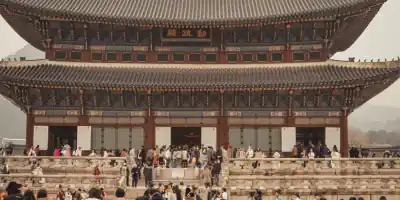
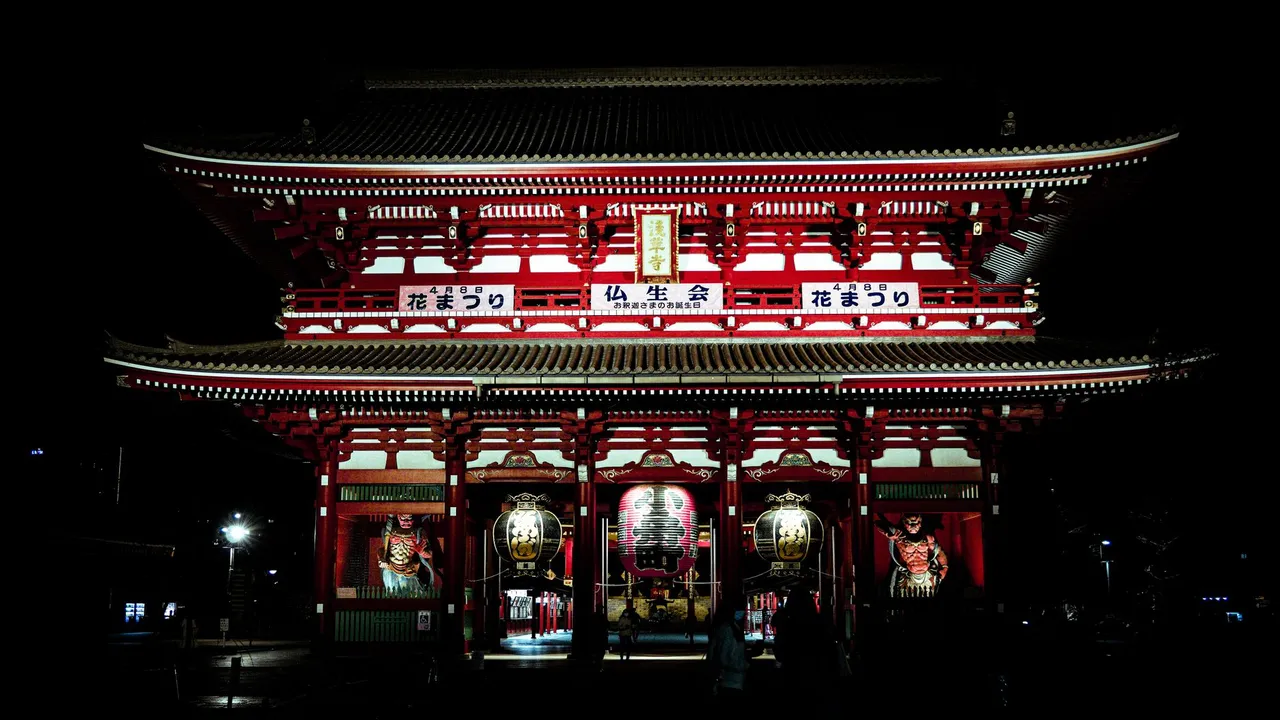
Start early at Sensō-ji in Asakusa, walking in through the Kaminarimon gate and along the Nakamise shopping street before the crowds build. Take the Ginza line to Ueno and spend a few hours in Ueno Park and the Tokyo National Museum. In the late afternoon, continue to Akihabara for electronics and game shops, then cross to the Tokyo Skytree or the Sumida riverside for the city lights.
Signal Excellent 4G and 5G across central Tokyo on docomo, au, SoftBank and Rakuten, and the subway has signal in stations and tunnels. Top up Suica in Apple Wallet over data before you board.
-
Day 2 Tokyo
Tokyo: Meiji Jingū, Harajuku and Shibuya
Walk through the forest to Meiji Jingū, the shrine to Emperor Meiji, then down Takeshita Street in Harajuku and along the tree-lined Omotesandō. Continue to Shibuya to cross the scramble crossing and look down on it from the Shibuya Sky observation deck, booked in advance for sunset. Finish the evening in Shinjuku, walking the narrow bars of Omoide Yokochō and Golden Gai.
Signal Very strong 5G in Shibuya and Shinjuku. Crowds at the scramble crossing can slow data, so load your route before the evening.
-
Day 3 Hakone
Hakone: Lake Ashi and the ropeway
Shinjuku to Hakone-Yumoto is about 1 hour 20 minutes on the Odakyu Romancecar, or take the Shinkansen to Odawara in around 35 minutes from Tokyo station.
Take the train to Hakone-Yumoto and follow the Hakone loop: the switchback Hakone Tozan railway to Gōra, the cable car up to Sōunzan, and the ropeway over the steaming volcanic valley at Ōwakudani. Ride a sightseeing boat across Lake Ashi to Moto-Hakone and walk to the lakeside torii of Hakone Shrine. On a clear day Mount Fuji appears beyond the lake. Stay overnight in an onsen inn.
Signal 4G and some 5G in Hakone-Yumoto and Gōra, generally good on the ropeway and the lake. The ropeway can close when volcanic gas levels rise at Ōwakudani; check its status before you set off.
-
Day 4 Kyoto
Kyoto: Fushimi Inari and Higashiyama
Odawara to Kyoto is about 2 hours on the Tōkaidō Shinkansen; take the Hakone Tozan bus or train down to Odawara first.
Travel to Kyoto and head straight to Fushimi Inari Taisha, walking up through the tunnels of red torii gates as far as the Yotsutsuji viewpoint. In the afternoon, visit Kiyomizu-dera on its wooden stage above the city, then walk down the stone lanes of Sannenzaka and Ninenzaka to Yasaka Shrine. In the evening, walk through Gion along Hanamikoji and the canal at Shirakawa.
Signal The Shinkansen keeps 4G for most of the ride, with brief drops in tunnels. Kyoto has strong coverage, though the upper Fushimi Inari trail on the wooded hill is weaker.
-
Day 5 Kyoto
Kyoto: Arashiyama and Kinkaku-ji
Arashiyama is about 15 minutes from Kyoto station on the JR Sagano line.
Arrive early at the Arashiyama bamboo grove, then visit Tenryū-ji and its garden, a UNESCO-listed Zen temple. Walk across the Togetsukyō bridge and, if you like, climb to the Iwatayama monkey park. In the afternoon, take a bus or taxi to Kinkaku-ji, the Golden Pavilion, and then to the rock garden at Ryōan-ji. End the day at Nishiki Market and Pontochō alley.
Signal Good 4G and 5G at all these sites, including the bamboo grove. Signal is weaker on the forested path up to the monkey park.
-
Day 6 Kyoto
Nara: deer, Tōdai-ji and Kasuga Taisha
Kyoto to Nara is about 45 minutes on the Kintetsu Limited Express or JR Nara line.
Take a day trip to Nara, Japan's capital in the 8th century. Walk through Nara Park, where hundreds of sika deer roam, to Tōdai-ji, whose Great Buddha Hall houses a 15-metre bronze Buddha. Continue along the lantern-lined path to Kasuga Taisha shrine, then visit Kōfuku-ji's five-storey pagoda and the old merchant streets of Naramachi before returning to Kyoto.
Signal Strong coverage across central Nara and the park. The wooded paths around Kasuga Taisha are slightly weaker but still usable.
-
Day 7 Osaka
Osaka: the castle and Dōtonbori
Kyoto to Osaka is about 15 minutes by Shinkansen or 30 minutes by JR Special Rapid. Kansai Airport is about 50 minutes from Osaka on the Haruka or Nankai Rapi:t.
Move to Osaka and visit Osaka Castle, rebuilt in concrete with a museum inside and a view from the top floor over its moats. In the afternoon, explore Shinsekai and the Tsūtenkaku tower, then the Kuromon market for street food. Finish in Dōtonbori by the canal, under the neon signs, and walk the covered Shinsaibashi shopping arcade.
Signal Excellent 4G and 5G across central Osaka and on the subway. Busy evenings in Dōtonbori can slow data briefly.
Staying connected on this route
- Your eSIM can use docomo, au, SoftBank and Rakuten; if data stops at a rural station with bars showing, choose another network manually.
- Install the Safety tips app before you fly for earthquake and tsunami alerts in English.
- Save the Japan Visitor Hotline, +81-50-3816-2787, and remember the eSIM is data only, so call 110 or 119 from your home SIM.
- Check the Hakone ropeway status on the morning of day 3; it closes when volcanic gas levels rise at Ōwakudani.
Itinerary sources · 5
- japan.travel Japan National Tourism Organization
- jnto.go.jp JNTO: Safety tips app
- whc.unesco.org UNESCO World Heritage: Historic Monuments of Ancient Kyoto
- whc.unesco.org UNESCO World Heritage: Historic Monuments of Ancient Nara
- odakyu.jp Odakyu: Hakone Freepass and route information
Information and verification
Each block below says what was checked and when. Anything we cannot date, we do not claim.
- Prices and plans
- Every price and allowance on this page is read from the live catalog, not typed in.
- Host networks
- The operator list comes from the network partner that carries this eSIM.
- Local rules
- SIM registration and device rules, checked against the sources below.Source: soumu.go.jp
Transparent pricing
Japan eSIM prices
| Data | Price | Per day |
|---|---|---|
| Unlimited | $9.00 | $3.00/day |
| Data | Price | Per day |
|---|---|---|
| Unlimited | $13.99 | $2.80/day |
| Data | Price | Per day |
|---|---|---|
| Unlimited | $25.00 | $2.50/day |
| Data | Price | Per day |
|---|---|---|
| Unlimited | $134.99 | $2.25/day |
| Data | Price | Per day |
|---|---|---|
| Unlimited | $199.99 | $2.22/day |
Going to more than one country?
Regional plans that also cover Japan
Destinations
Popular eSIM destinations
Travel guides
Read before you go

Sep 21, 2026 | 7 minute read

Sep 21, 2026 | 8 minute read
