eSIM for Jordan 
Viasimo's Jordan eSIM starts at $1.29 for 100 MB over 7 days, running on Zain with 4G LTE where available. Plans last 1 to 180 days, arrive by email in minutes and install from your phone's settings, with no app.
Works everywhere in Jordan
- Ajloun
- Amman
- Aqaba
- Balqa
- Irbid
- Jerash
- Karak
Duration







Unlimited data · 3 Days ×1
$19.99
Does my phone take an eSIM? Check now
Dial *#06# on your phone. If you see an EID number, your phone takes an eSIM. Most phones sold since 2019 do.
Not sure it works on your phone? Check compatibilityWhich networks does the Jordan eSIM use?
Host networks: Zain
Your eSIM picks one automatically; you do not choose or switch between them.
- Data
- 100 MB – 20 GB or unlimited
- Validity
- 1–180 days
- Speed
- 4G LTE
- Hotspot / tethering
- Supported on most devices
- Activation
- Automatic on arrival
- Speed management
- Roughly 2-3 GB per day at full speed, sometimes less depending on the local carrier, then reduced
- Top-ups
- Add more data from your account, before the plan expires
- Text messages (SMS)
- Data only: use an app for verification codes
- Unused validity
- 180 days before it must be installed
How much data do you need?
The allowances below are our sizing recommendations, not measurements. The plan beside each one is the cheapest option on this page that covers it.
| You are | Plan for | Cheapest plan that covers it |
|---|---|---|
| LightMaps, messaging and the occasional lookup | About 1 GB a week | $3.591 GB, 7 days |
| TypicalMaps, social, photos and some browsing | About 3 to 7 GB a week | $13.995 GB, 30 days |
| HeavyVideo streaming, video calls and uploads | 10 GB a week or more | $26.0010 GB, 30 days |
| Working or sharingTethering a laptop, calls and cloud sync | 20 GB a week or more | $40.99Unlimited, 7 days |
eSIM, local SIM or roaming?
Charged per day
Your carrier roaming
Queue and plastic
A SIM at the airport
$1.29
Viasimo, one bundle
Only the Viasimo figure is a price: it comes from today’s live catalog. The other two rows are directional, not quoted rates.
Important to know
- This is a data-only eSIM. It carries no calls or SMS on its own number.
- Your existing number stays on your primary SIM, so calls and verification texts keep working.
- Your phone must support eSIM, and some carrier-locked phones cannot install one.
- Signal varies with location, terrain, congestion and your handset. Dense urban areas are consistently better served than remote ones.
- The eSIM selects a host network automatically. You cannot pick or switch between them.
- Unlimited plans run at full speed up to a fair-use limit, then continue at a reduced speed. Read the fair usage policy
Frequently asked questions
Does an eSIM work in Jordan?
Yes. Your Jordan eSIM connects automatically the moment you arrive, with no roaming fees and nothing to set up at the airport. The host networks it can use are Zain. Coverage runs on 4G LTE. There is no 5G on our host network in Jordan yet.
Do I get 5G in Jordan?
No. Zain do not yet offer 5G to visitors in Jordan, so your eSIM connects over 4G LTE or slower. Anyone claiming 5G for this destination is quoting a spec sheet, not the network you will actually get.
Can I show my Jordan Pass on my phone at Petra?
You can try, but the official Jordan Pass FAQ advises printing it, because the QR code may not scan from a phone screen. The pass is emailed as a PDF and an image, and at Petra it is scanned only at the Visitor Centre. Bring a printed copy and keep the PDF saved offline on your phone as a backup.
Which mobile network is best in Jordan?
It is close. In Opensignal's July 2026 report, Umniah won Best Network and Reliability, Zain led 5G download speed, and Orange led 5G coverage and availability. Our eSIM connects to Zain's 4G/LTE network, which covers the main tourist route from Amman through the Dead Sea, Petra and Wadi Rum to Aqaba.
Are WhatsApp and other messaging apps blocked in Jordan?
Not normally. However, Freedom House reports that in June 2024 the regulator temporarily blocked messaging apps during national exam hours until mid-July to prevent cheating. If you visit in June or early July, some apps may stop working for a few hours on exam days. Plan pickups and send important messages in advance.
Do I need to be careful about what I post online in Jordan?
Yes. Jordan's 2023 Cybercrime Law has been used to prosecute journalists and activists over social media posts, including criticism of the king's policies. Visitors are rarely affected, but you should avoid posting content criticising the monarchy, government or religion, and be cautious about sharing political material while you are in the country.
How much data do I need for 7 days in Jordan?
For 7 days in Jordan, Viasimo sells 100 MB for $1.29, 500 MB for $2.29, 1 GB for $3.59, and unlimited data for $40.99. Our sizing recommendation, not a measurement: maps, messaging and the occasional lookup, about 1 GB a week; maps, social, photos and some browsing, about 3 to 7 GB a week. The data calculator on this site works it out from how you actually use your phone.
Installing, keeping your number, topping up and hotspot work the same everywhere: see how it works →
Jordan: what to know before you land
Our eSIM in Jordan connects to Zain over 4G/LTE. Zain is one of three operators that Opensignal rated closely in July 2026, with Umniah named best network. Two Jordan-specific quirks matter more than speed: your Jordan Pass is best printed, not just saved on your phone, and messaging apps have been blocked during national exam hours in June and July.
- Emergency
- 911
- Plugs
- CDFGJ 230V
- Currency
- Jordanian dinar (JOD)
Main airports
- AMM Queen Alia International Airport (Amman)
- AQJ King Hussein International Airport (Aqaba)
Your Jordan Pass, the visa waiver and the Petra gate
Most visitors buy the Jordan Pass before they fly. It bundles entry to more than 40 sites, including Petra, Jerash and Wadi Rum, with a waiver of the 40 JD single-entry visa fee. The waiver only holds if you buy the pass before arrival and stay at least two consecutive nights; immigration checks this when you leave, and if you fall short you pay the fee then. If you enter at the Wadi Araba crossing from Eilat and leave without having met the conditions, the official FAQ says you pay 60 JD.
The pass is emailed as a PDF and an image, and the official FAQ is clear that you should print it, because the QR code may not scan from a phone screen. Do both: print a copy and keep the PDF offline on your phone as a backup. If the email goes missing, the Jordan Pass website has a "find my ticket" page that needs a data connection.
At Petra, the pass is scanned only at the Visitor Centre, and it covers daytime entry from 6am to 6pm; Petra by Night is a separate ticket. Repeat entry on consecutive days is only included with the Explorer and Expert packages, so check which one you bought before planning a second day.
Zain, Orange and Umniah in Opensignal's July 2026 report
Jordan has three mobile operators, and Opensignal's July 2026 report shows how evenly matched they are. Umniah kept its Best Network award and took Reliability from Zain. Zain held the outright win for 5G download speed and picked up several shared awards. Orange extended its lead in 5G coverage and took sole 5G availability.
Our eSIM connects to Zain over 4G/LTE. Most of Opensignal's headline differences between the three networks are about 5G, which our eSIM does not use, so they matter less to visitors than you might think. For the classic route, Amman, Jerash, the Dead Sea, the King's Highway, Petra, Wadi Rum and Aqaba, the 4G network is what carries your maps, ride-hailing and messages.
If you are flying in, Queen Alia International (AMM) in Amman is the main hub, while King Hussein International (AQJ) in Aqaba handles some international and low-cost flights, which suits a southern itinerary. Either way, have the eSIM switched on as you land, so you can order a car or message your driver straight away.
Exam-season app blocks and Jordan's cybercrime law
Jordan's internet is mostly open to visitors, but there are two specific points to know.
Exam-hours blocks. Freedom House reports that in June 2024 Jordan's telecoms regulator temporarily blocked messaging apps until mid-July to stop cheating in national school exams, with the blocks applied only during exam hours. If you travel in June or early July, expect some messaging apps to stop working for a few hours on exam days. Send important messages, such as pickup times, early, and keep key details saved offline.
Online speech. The same report notes that authorities have used Jordan's 2023 Cybercrime Law to detain or prosecute journalists and activists over social media posts, with sentences of up to five years in some cases. In May 2025, 12 online news outlets were also blocked. As a visitor, be careful about what you post publicly, particularly comments about the monarchy, the government or regional politics, and avoid sharing material that could be seen as offensive.
None of this stops you using maps, ride-hailing, banking or video calls in the normal way. In an emergency, dial 911 for police, fire or ambulance.
Researched October 2026 · 4 sources
- jordanpass.jo Jordan Pass FAQs
- insights.opensignal.com Jordan Mobile Network Experience, July 2026 (Opensignal)
- freedomhouse.org Jordan: Freedom on the Net 2025 (Freedom House)
- gov.uk Jordan travel advice: getting help (GOV.UK)
Seven days in Jordan: Amman, Jerash, the Dead Sea, Petra and Wadi Rum
The classic first-time loop from north to south: Amman's citadel and Roman ruins, Jerash, a float in the Dead Sea, the King's Highway castles, two days at Petra, then a night in the Wadi Rum desert before ending in Aqaba.
When to go March to May and September to November are the most comfortable for hiking Petra and camping in Wadi Rum; summers are very hot in the south and at the Dead Sea, and winter nights in Petra and Wadi Rum can be near freezing.
-
Day 1 Amman
Amman: Citadel and Roman Theatre
Queen Alia International Airport (AMM) to central Amman by taxi, ride-hailing app or the airport express bus, about 45 minutes.
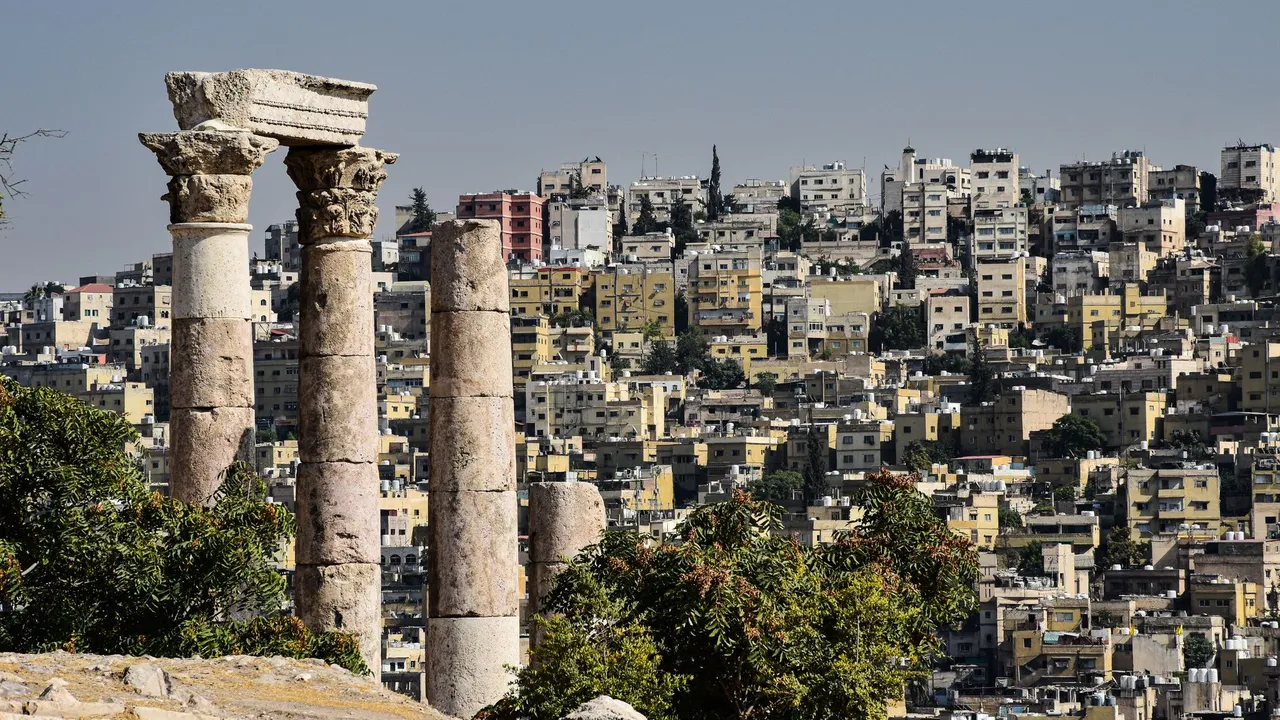
Start on Jabal al-Qal'a, the Amman Citadel, to see the Temple of Hercules columns, the Umayyad Palace and the Jordan Archaeological Museum, with views across the city's hills. Walk down to the restored Roman Theatre and the Odeon beside it. Spend the late afternoon in the downtown souks and on Rainbow Street in Jabal Amman, where the evening crowd gathers.
Signal Zain 4G is reliable across central Amman, including the Citadel and downtown; data can slow in the busy souks.
-
Day 2 Amman
Jerash and Ajloun Castle
Amman to Jerash by road is about 1 hour; Ajloun is about 30 minutes further.
Drive north to Jerash, one of the best-preserved Roman provincial cities, entering through Hadrian's Arch to walk the colonnaded Cardo Maximus, the oval Forum and the Temple of Artemis. In the afternoon continue to Ajloun Castle, a 12th-century Ayyubid fortress on a hilltop with views over the Jordan Valley, before returning to Amman. Your Jordan Pass covers both sites.
Signal Good 4G at Jerash and on the road to Ajloun. The FCDO advises against all travel within 3 km of the Syrian border; this route stays well away from it.
-
Day 3 Dead Sea
Madaba, Mount Nebo and the Dead Sea
Amman to Madaba is about 45 minutes; Mount Nebo is 15 minutes further, then about 45 minutes down to the Dead Sea hotels.
Head south-west to Madaba to see the 6th-century mosaic map of the Holy Land on the floor of St George's Church. Continue to Mount Nebo, where tradition says Moses saw the Promised Land, for views across the Jordan Valley on a clear day. Descend to the Dead Sea, the lowest point on land, and float in the salty water at a resort or public beach in the afternoon.
Signal 4G works in Madaba and at Mount Nebo; on the Dead Sea shore your phone may briefly pick up a cross-border network, so set the eSIM to stay on Zain and turn off automatic network selection if needed.
-
Day 4 Wadi Musa (Petra)
King's Highway: Wadi Mujib and Kerak to Petra
Dead Sea to Wadi Musa via the King's Highway, about 5 to 6 hours with stops; the Desert Highway is faster but less scenic.
Drive the King's Highway south. Stop at the viewpoint over the Wadi Mujib canyon, then visit Kerak Castle, a large Crusader fortress with long vaulted halls. Continue to Shobak Castle, another Crusader stronghold on a remote hilltop, before reaching Wadi Musa, the town beside Petra, by late afternoon. Rest early for tomorrow.
Signal Expect weaker coverage in the Wadi Mujib descent and some empty stretches of the King's Highway; good 4G returns in Kerak and Wadi Musa.
-
Day 5 Wadi Musa (Petra)
Petra: Siq, Treasury and Monastery
Enter early through the Visitor Centre and walk the Siq, the narrow, winding gorge that opens onto the Khazneh, or Treasury. Continue past the Street of Facades, the Theatre and the Royal Tombs to the colonnaded street. After lunch climb the roughly 800 rock-cut steps to Ad Deir, the Monastery, a vast facade carved in the 1st century AD. Allow the whole day and carry plenty of water.
Signal 4G is fine near the Visitor Centre and the Treasury, but drops out in parts of the Siq and on the climb to the Monastery. Save your Jordan Pass offline and carry a printed copy as a backup in case data drops at the gate.
-
Day 6 Wadi Rum
Little Petra and into Wadi Rum
Wadi Musa to Wadi Rum village by road, about 1 hour 30 minutes.
Visit Little Petra (Siq al-Barid), a short drive north of Wadi Musa, with its narrow canyon and a painted ceiling in one of the chambers. Then drive south to the Wadi Rum visitor centre and meet your Bedouin guide for a jeep tour among the red sandstone mountains, past rock bridges, dunes and Nabataean inscriptions. Watch sunset from a rock and spend the night at a desert camp.
Signal Some coverage near Wadi Rum village and the visitor centre, but large parts of the desert have little or none; many camps have only limited wifi.
-
Day 7 Aqaba
Aqaba and the Red Sea
Wadi Rum to Aqaba by road, about 1 hour; check the latest FCDO advice first, as it reported attacks and interceptions around Aqaba in September 2026; Aqaba to Amman is about 4 hours by road or a short domestic flight.
After sunrise in the desert, drive to Aqaba on the Red Sea. Spend the day snorkelling or diving off the South Beach coral reefs, including the reef at the Japanese Garden, or visit Aqaba's small Mamluk fort on the seafront. From here you can fly home from King Hussein International or return to Amman.
Signal Good 4G in Aqaba town and along the beaches; on the coast your phone may see Israeli or Egyptian networks, so check you are still on Zain.
Staying connected on this route
- Print your Jordan Pass and keep the PDF offline; you need it at Petra's Visitor Centre and other sites where data is weak.
- Download offline maps of the King's Highway and Wadi Rum before leaving the Dead Sea and Wadi Musa.
- If you travel in June or early July, send important messages early on exam days, when messaging apps have been blocked for a few hours.
Itinerary sources · 3
- whc.unesco.org UNESCO World Heritage Centre: Petra
- gov.uk GOV.UK foreign travel advice: Jordan
- jordanpass.jo Jordan Pass
Information and verification
Each block below says what was checked and when. Anything we cannot date, we do not claim.
- Prices and plans
- Every price and allowance on this page is read from the live catalog, not typed in.
- Host networks
- The operator list comes from the network partner that carries this eSIM.
Jordan eSIM prices
| Data | Price | Per day |
|---|---|---|
| Unlimited | $19.99 | $6.66/day |
| Data | Price | Per day |
|---|---|---|
| Unlimited | $29.99 | $6.00/day |
| Data | Price | Per day |
|---|---|---|
| 100 MBBest value | $1.29 | $0.18/day |
| 500 MB | $2.29 | $0.33/day |
| 1 GB | $3.59 | $0.51/day |
| Unlimited | $40.99 | $5.86/day |
| Data | Price | Per day |
|---|---|---|
| Unlimited | $56.99 | $5.70/day |
| Data | Price | Per day |
|---|---|---|
| Unlimited | $314.99 | $5.25/day |
| Data | Price | Per day |
|---|---|---|
| Unlimited | $469.99 | $5.22/day |
| Data | Price | Per day |
|---|---|---|
| Unlimited | $929.99 | $5.17/day |
Going to more than one country?
Regional plans that also cover Jordan



Destinations