eSIM for Vatican City 
Viasimo's Vatican City eSIM starts at $1.59 for 1 GB over 7 days, running on Iliad, TIM, TIM maritime, and other local networks with 5G where available. Plans last 1 to 180 days, arrive by email in minutes and install from your phone's settings, with no app.
Duration







Unlimited data · 3 Days ×1
$6.99
Does my phone take an eSIM? Check now
Dial *#06# on your phone. If you see an EID number, your phone takes an eSIM. Most phones sold since 2019 do.
Not sure it works on your phone? Check compatibilityWhich networks does the Vatican City eSIM use?
Host networks: Iliad / TIM / TIM maritime / Wind
Your eSIM picks one automatically; you do not choose or switch between them.
- Data
- 1 GB – 20 GB or unlimited
- Validity
- 1–180 days
- Speed
- 4G LTE / 5G
- Hotspot / tethering
- Supported on most devices
- Activation
- Starts when you first connect in your destination
- Speed management
- Roughly 2-3 GB per day at full speed, sometimes less depending on the local carrier, then reduced
- Top-ups
- Add more data from your account, before the plan expires
- Text messages (SMS)
- Data only: use an app for verification codes
- Unused validity
- 180 days before it must be installed
How much data do you need?
The allowances below are our sizing recommendations, not measurements. The plan beside each one is the cheapest option on this page that covers it.
| You are | Plan for | Cheapest plan that covers it |
|---|---|---|
| LightMaps, messaging and the occasional lookup | About 1 GB a week | $1.591 GB, 7 days |
| TypicalMaps, social, photos and some browsing | About 3 to 7 GB a week | $4.595 GB, 30 days |
| HeavyVideo streaming, video calls and uploads | 10 GB a week or more | $8.0010 GB, 30 days |
| Working or sharingTethering a laptop, calls and cloud sync | 20 GB a week or more | $13.99Unlimited, 7 days |
eSIM, local SIM or roaming?
Charged per day
Your carrier roaming
Queue and plastic
A SIM at the airport
$1.59
Viasimo, one bundle
Only the Viasimo figure is a price: it comes from today’s live catalog. The other two rows are directional, not quoted rates.
Important to know
- This is a data-only eSIM. It carries no calls or SMS on its own number.
- Your existing number stays on your primary SIM, so calls and verification texts keep working.
- Your phone must support eSIM, and some carrier-locked phones cannot install one.
- Signal varies with location, terrain, congestion and your handset. Dense urban areas are consistently better served than remote ones.
- 5G only works where the host network has deployed it and your phone supports it. Everywhere else it falls back to 4G LTE.
- The eSIM selects a host network automatically. You cannot pick or switch between them.
- Unlimited plans run at full speed up to a fair-use limit, then continue at a reduced speed. Read the fair usage policy
Frequently asked questions
Does an eSIM work in Vatican City?
Yes. Your Vatican City eSIM connects automatically the moment you arrive, with no roaming fees and nothing to set up at the airport. The host networks it can use are Iliad, TIM, TIM maritime, Wind. Coverage runs on 4G LTE and 5G where the network has rolled it out, and falls back to 4G elsewhere.
Do I get 5G in Vatican City?
Yes, where it has been deployed. 5G runs on Iliad, TIM, TIM maritime, Wind in Vatican City, and your eSIM uses it automatically on a 5G-capable phone, dropping back to 4G LTE outside covered areas. No country is covered everywhere, so 5G availability varies by location.
Does Vatican City have its own mobile network?
No. It has its own fixed-line Vatican Telephone Service, the +379 code and the .va domain, but mobile phones connect to Italian networks nearby. Our eSIM can use TIM, Wind and Iliad, on 5G where available. Inside the Sistine Chapel and the long museum galleries, signal can be weak, so save tickets offline.
How do I avoid fake Vatican Museums ticket sites?
Book only at tickets.museivaticani.va, the official portal. The Vatican Museums warn that lookalike domains charge much higher prices. Type the address yourself rather than tapping an ad, and check the domain in your phone's address bar before paying. Save your ticket and time slot as a screenshot.
When is the Vatican Museums free entry day?
The last Sunday of each month, from 9am to 2pm, with last entry at 12.30pm. Expect long queues. On normal opening days, Monday to Saturday, the museums open 8am to 8pm with last entry at 6pm. Check the official closure calendar for 2026 and 2027 before planning.
What number do I call in an emergency at the Vatican?
Use the Italian numbers: 112 for police, 118 for an ambulance and 115 for fire. Inside the Vatican, its own Gendarmerie and fire brigade respond, and St Peter's Square is normally patrolled by Italian police. Our eSIM is data only, so call from your home SIM or ask museum or basilica staff.
How much data do I need for 7 days in Vatican City?
For 7 days in Vatican City, Viasimo sells 1 GB for $1.59 and unlimited data for $13.99. Our sizing recommendation, not a measurement: maps, messaging and the occasional lookup, about 1 GB a week; maps, social, photos and some browsing, about 3 to 7 GB a week. The data calculator on this site works it out from how you actually use your phone.
Installing, keeping your number, topping up and hotspot work the same everywhere: see how it works →
Vatican City: what to know before you land
Vatican City has no mobile network of its own. Your phone uses the Italian networks around it, and our eSIM can connect to TIM, Wind and Iliad, on 5G where available and 4G elsewhere. What your data is really for here is the official Vatican Museums ticket site, because lookalike sites charge far more, and having emergency numbers ready around St Peter's Square.
- Emergency
-
- 112 police
- 118 ambulance
- 115 fire
- Plugs
- CFL 230V
- Currency
- Euro (EUR)
Main airports
- FCO Rome Fiumicino Leonardo da Vinci Airport
- CIA Rome Ciampino Airport
Booking on tickets.museivaticani.va, not a lookalike
The Vatican Museums sell tickets through their official portal, tickets.museivaticani.va, and the museums themselves warn that some lookalike domains charge much higher prices. Before you pay, check the address bar on your phone shows exactly that domain. Type the address yourself or follow the link from the museums' own site.
Opening times to plan around:
- Monday to Saturday: 8am to 8pm, with last entry at 6pm.
- Last Sunday of each month: free entry from 9am to 2pm, last entry 12.30pm. Expect long queues; guided tours can be reserved in advance.
- The museums publish a calendar of closure days for 2026 and 2027, which is worth checking before you fix your Rome itinerary.
Once booked, save the ticket and its time slot as a screenshot or in your phone's wallet. Signal inside the long galleries and in the Sistine Chapel can be poor, and the queue is not the place to wait for an email to load. If you need to change a booking, the official site has a page to manage existing reservations, so keep your booking reference with the screenshot.
Italian networks inside a separate state
At about 0.49 km², Vatican City is the world's smallest state, and its telecoms reflect that. It has its own fixed-line system, the Vatican Telephone Service, its own international code, +379, and its own internet domain, .va. In practice it sits inside Italy's numbering plan: Vatican phone numbers usually appear as +39 06 698 followed by the extension.
For mobile, there is no separate Vatican network. Phones in St Peter's Square and the museums connect to Italian masts nearby. Our eSIM can use several Italian networks, TIM, Wind and Iliad, with 5G where it is available and 4G elsewhere (Italy's 3G networks have largely been switched off). Having more than one network helps in a crowded square where one may be congested.
There are no passport controls between Rome and the Vatican, so you will not notice crossing the border, and neither will your phone; the same Italian networks serve both sides of the colonnade.
The Vatican uses the euro under a special agreement with the EU. It issues its own euro coins in strictly limited numbers, and they are sought after by collectors, so look at your change before you spend it.
Emergencies around St Peter's: 112 and the Vatican's own services
Vatican City runs some emergency services itself. Its Gendarmerie Corps, about 130 officers, handles policing and security inside the state, alongside the Swiss Guard, which protects the pope. It also has its own fire brigade. St Peter's Square itself is normally patrolled by Italian police.
For a visitor, the simplest approach is to use the Italian emergency numbers, which your phone will reach through the Italian networks around you. The UK Foreign Office lists:
- 112 for police
- 118 for an ambulance
- 115 for fire
Our eSIM is data only, so these calls need your home SIM, which can stay switched on alongside the eSIM. If you are inside the basilica or museums, staff and security can call for you; tell the nearest attendant first.
The official European emergency app, 112 Where ARE U, sends your location with a call, but the FCDO notes it is only available in some parts of Italy, so do not rely on it. If you are separated from your group in the crowds after a papal audience or a big service, agree a meeting point in advance, such as the obelisk in the centre of St Peter's Square, and share live locations while you still have signal.
Researched October 2026 · 5 sources
- museivaticani.va Vatican Museums - official site
- en.wikipedia.org Vatican City - Wikipedia
- en.wikipedia.org Telecommunications in Vatican City - Wikipedia
- gov.uk Italy travel advice: getting help - GOV.UK
- royalbrinkman.com Voltage, frequency and plug type per country - Royal Brinkman
Two days in Vatican City: the Museums, the Sistine Chapel and St Peter's
A two-day plan for the world's smallest state, easily slotted into a week in Rome: one day for the Vatican Museums and Sistine Chapel booked through the official site, and one for St Peter's Basilica, its dome and the Necropolis beneath.
When to go November to February, outside the Christmas period, has the shortest queues; Easter and summer are busiest and hottest, and the free last-Sunday-of-the-month museum opening brings very long lines.
-
Day 1 Rome (Prati or the historic centre)
The Vatican Museums and the Sistine Chapel
From central Rome, take Metro line A to Ottaviano or Cipro, about a 10-minute walk to the museum entrance.
Arrive at the Vatican Museums entrance on Viale Vaticano at your booked slot, with a ticket bought on the official site, tickets.museivaticani.va. Walk through the Pinacoteca, the Pio-Clementino sculpture galleries and the Gallery of Maps to the Raphael Rooms, then end in the Sistine Chapel, where photography is not allowed. Allow at least three or four hours, and check the museums' closure calendar before you book.
Signal Your phone uses Italian networks, and this eSIM can use TIM, Wind or Iliad, with 5G outside. Signal is often weak deep in the galleries and the Sistine Chapel, so save your ticket offline.
-
Day 2 Rome (Prati or the historic centre)
St Peter's Basilica, the dome and the Necropolis
St Peter's Square is about 15 minutes' walk from Ottaviano metro station.
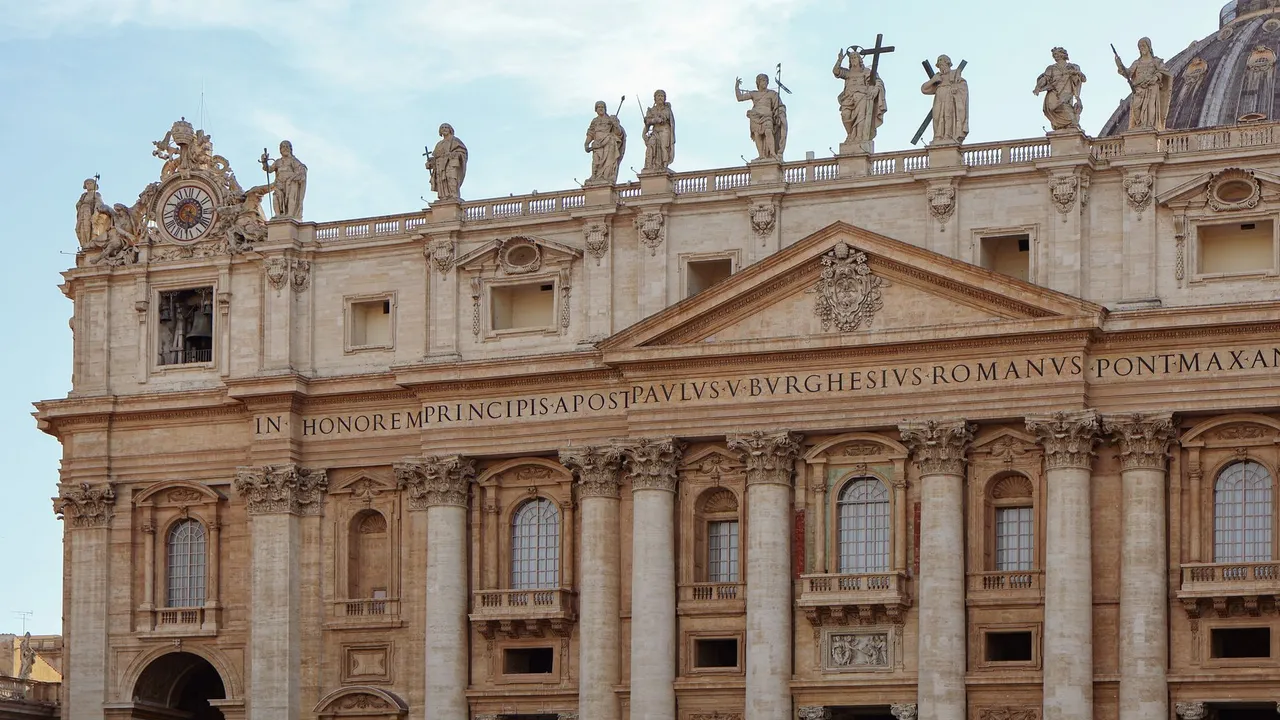
Go early to St Peter's Square, pass through security under Bernini's colonnade, and enter the basilica with shoulders and knees covered. See Michelangelo's Pietà and the bronze baldachin over the papal altar, then climb the dome, with a lift for the first stage, for the view over the square and Rome. If you booked well ahead, join a guided tour of the Necropolis beneath the nave.
Signal Italian 4G and 5G are usually strong in St Peter's Square, but busy at large events. Signal fades inside the basilica, on the dome stairs and in the Necropolis.
Staying connected on this route
- Book only through tickets.museivaticani.va and check the address bar; lookalike ticket sites charge much more.
- Save museum, dome and Necropolis tickets as screenshots before you queue, as signal is weak inside.
- There are no border checks between Rome and the Vatican, and your phone stays on Italian networks throughout.
- Keep your home SIM on for 112 and 118 calls, since this eSIM is data only.
Itinerary sources · 4
- museivaticani.va Vatican Museums – official website
- basilicasanpietro.va St Peter's Basilica: official site
- whc.unesco.org UNESCO: Vatican City
- gov.uk GOV.UK foreign travel advice: Italy
Information and verification
Each block below says what was checked and when. Anything we cannot date, we do not claim.
- Prices and plans
- Every price and allowance on this page is read from the live catalog, not typed in.
- Host networks
- The operator list comes from the network partner that carries this eSIM.
Vatican City eSIM prices
| Data | Price | Per day |
|---|---|---|
| Unlimited | $6.99 | $2.33/day |
| Data | Price | Per day |
|---|---|---|
| Unlimited | $10.99 | $2.20/day |
| Data | Price | Per day |
|---|---|---|
| Unlimited | $18.99 | $1.90/day |
| Data | Price | Per day |
|---|---|---|
| 3 GBBest value | $3.29 | $0.11/day |
| 5 GB | $4.59 | $0.15/day |
| 10 GB | $8.00 | $0.27/day |
| 20 GB | $14.99 | $0.50/day |
| Unlimited | $50.00 | $1.67/day |
| Data | Price | Per day |
|---|---|---|
| Unlimited | $97.99 | $1.63/day |
| Data | Price | Per day |
|---|---|---|
| Unlimited | $149.99 | $1.67/day |
| Data | Price | Per day |
|---|---|---|
| Unlimited | $299.99 | $1.67/day |
Going to more than one country?
Regional plans that also cover Vatican City


Destinations