eSIM for Montserrat 
Viasimo's Montserrat eSIM starts at $6.99 for 500 MB over 1 day, running on FLOW with 4G LTE where available. Plans last 1 to 180 days, arrive by email in minutes and install from your phone's settings, with no app.
Works everywhere in Montserrat
- Saint Anthony
- Saint Georges
- Saint Peter
Duration







Unlimited data · 3 Days ×1
$43.99
Does my phone take an eSIM? Check now
Dial *#06# on your phone. If you see an EID number, your phone takes an eSIM. Most phones sold since 2019 do.
Not sure it works on your phone? Check compatibilityWhich networks does the Montserrat eSIM use?
Host networks: FLOW
Your eSIM picks one automatically; you do not choose or switch between them.
- Data
- 500 MB – 20 GB or unlimited
- Validity
- 1–180 days
- Speed
- 4G LTE
- Hotspot / tethering
- Supported on most devices
- Activation
- Starts when you first connect in your destination
- Speed management
- Roughly 2-3 GB per day at full speed, sometimes less depending on the local carrier, then reduced
- Top-ups
- Add more data from your account, before the plan expires
- Text messages (SMS)
- Data only: use an app for verification codes
- Unused validity
- 180 days before it must be installed
How much data do you need?
The allowances below are our sizing recommendations, not measurements. The plan beside each one is the cheapest option on this page that covers it.
| You are | Plan for | Cheapest plan that covers it |
|---|---|---|
| LightMaps, messaging and the occasional lookup | About 1 GB a week | $10.991 GB, 7 days |
| TypicalMaps, social, photos and some browsing | About 3 to 7 GB a week | $39.995 GB, 30 days |
| HeavyVideo streaming, video calls and uploads | 10 GB a week or more | $72.9910 GB, 30 days |
| Working or sharingTethering a laptop, calls and cloud sync | 20 GB a week or more | $95.99Unlimited, 7 days |
eSIM, local SIM or roaming?
Charged per day
Your carrier roaming
Queue and plastic
A SIM at the airport
$6.99
Viasimo, one bundle
Only the Viasimo figure is a price: it comes from today’s live catalog. The other two rows are directional, not quoted rates.
Important to know
- This is a data-only eSIM. It carries no calls or SMS on its own number.
- Your existing number stays on your primary SIM, so calls and verification texts keep working.
- Your phone must support eSIM, and some carrier-locked phones cannot install one.
- Signal varies with location, terrain, congestion and your handset. Dense urban areas are consistently better served than remote ones.
- The eSIM selects a host network automatically. You cannot pick or switch between them.
- Unlimited plans run at full speed up to a fair-use limit, then continue at a reduced speed. Read the fair usage policy
Frequently asked questions
Does an eSIM work in Montserrat?
Yes. Your Montserrat eSIM connects automatically the moment you arrive, with no roaming fees and nothing to set up at the airport. The host networks it can use are FLOW. Coverage runs on 4G LTE. There is no 5G on our host network in Montserrat yet.
Do I get 5G in Montserrat?
No. FLOW do not yet offer 5G to visitors in Montserrat, so your eSIM connects over 4G LTE or slower. Anyone claiming 5G for this destination is quoting a spec sheet, not the network you will actually get.
Is FLOW the same as Cable & Wireless in Montserrat?
Yes. Cable & Wireless replaced its LIME brand with FLOW in 2015, and FLOW is now part of Liberty Latin America. If your eSIM shows FLOW, you are on the island's Cable & Wireless network. Your eSIM uses it on 4G LTE, which handles maps, messaging and internet calls across the populated north.
Can I visit Plymouth on Montserrat?
Only with permission. Plymouth lies inside Zone V, the area around the Soufrière Hills volcano, which needs authorisation to enter even at the current hazard level 1. Zones A, B, C and F have unrestricted access. Check the Montserrat Volcano Observatory's updates online before you go, and arrange any trip south through an authorised guide.
Why do flights to Montserrat get cancelled?
The UK Foreign Office says short-notice cancellations and schedule changes are common. John A. Osborne Airport's runway is only 593 m long, so services use small aircraft that are sensitive to weather, and ash from the volcano can ground flights when the wind blows north. Keep your eSIM on after landing and your airline's contact saved.
What do the sirens on Montserrat mean?
An island-wide siren system warns of volcanic activity. It is tested every day at midday, so a siren at noon is normal. If the sirens sound at any other time, tune to Radio Montserrat on FM 88.3 or 95.5 and follow the instructions. You can also check the observatory's online updates using mobile data.
How much data do I need for 7 days in Montserrat?
For 7 days in Montserrat, Viasimo sells 1 GB for $10.99 and unlimited data for $95.99. Our sizing recommendation, not a measurement: maps, messaging and the occasional lookup, about 1 GB a week; maps, social, photos and some browsing, about 3 to 7 GB a week. The data calculator on this site works it out from how you actually use your phone.
Installing, keeping your number, topping up and hotspot work the same everywhere: see how it works →
Montserrat: what to know before you land
In Montserrat your eSIM connects to FLOW, the brand Cable & Wireless has traded under since 2015, on 4G LTE. On an island still shaped by the Soufrière Hills volcano, data earns its keep for a few things in particular: tracking short-notice flight changes on the 593-metre runway at Gerald's, checking the volcanic hazard level and following weather alerts that can cut off the Belham Valley.
- Emergency
- 911 or 999
- Plugs
- ABG 230V
- Currency
- East Caribbean dollar (XCD)
Main airports
- MNI John A. Osborne Airport
Flying into John A. Osborne (MNI) at Gerald's
Montserrat's airport, John A. Osborne (MNI) at Gerald's, has one of the Caribbean's shorter runways at just 593 m, so only small aircraft can use it. FlyMontserrat and BMN Air fly the short hop from Antigua, and Winair has flown twice a week from Sint Maarten since May 2025. From 1997 to 2005, after the old airport was lost to the volcano, the island could only be reached by helicopter, boat or seaplane.
The UK Foreign Office warns that short-notice cancellations and schedule changes are common on flights to Montserrat. Volcanic ash also grounds aircraft when the wind blows it north. Have your airline's contact details and booking reference saved, and keep your eSIM switched on from the moment you land so a rebooking message can reach you.
If you are connecting through Antigua, remember that this plan covers Montserrat only. Use V.C. Bird airport's wifi or separate cover while you wait, and switch your data line over once you arrive at Gerald's.
Soufrière Hills hazard levels and Zone V
The Soufrière Hills volcano has been active since 1995. It has had no major activity since February 2010 and is described as being in a prolonged pause. The island manages the risk with a Hazard Level System on a scale of 0 to 5, which the Foreign Office listed at level 1. At that level, zones A, B, C and F have unrestricted access. Zone V, which covers the area around the volcano and the former capital, Plymouth, can only be entered with permission from the authorities. Maritime exclusion zones also surround parts of the coast. Boats need permission to enter them, and the Port Authority at Little Bay holds the maps and GPS coordinates.
Even the inhabited 40% or so of the island can get ash falls and volcanic gas when the wind blows from the south. An island-wide siren network is tested every day at midday. If the sirens sound at any other time, tune to Radio Montserrat on FM 88.3 or 95.5.
The Montserrat Volcano Observatory posts updates online. Check them on your phone before any trip south, and before booking a boat tour along the exclusion-zone coast.
Belham Valley floods and Montserrat's emergency numbers
The Caribbean hurricane season officially runs from 1 June to 30 November, but stormy weather can arrive outside it. The Foreign Office notes that landslides and local flooding are common in Montserrat. The Belham Valley is especially prone, and communities on the Isles Bay side can be cut off for a day or so after heavy rain. If you are staying around Isles Bay or Old Towne, check the weather forecast and local updates on your phone before you set out. Have a plan for a day when the valley road is closed.
For storms, follow the US National Hurricane Center and the World Meteorological Organization, as the Foreign Office recommends. Charge a power bank whenever a warning is issued, because power and mobile service can both be interrupted after a storm.
The emergency number is 911 or 999 for police, fire and ambulance. The Royal Montserrat Police Service's main line is +1 664 491 2555. The eSIM is data-only, so make calls from your home SIM. Save these numbers before you go walking in the Centre Hills.
Researched October 2026 · 5 sources
- gov.uk Montserrat travel advice: safety and security (GOV.UK)
- gov.uk Montserrat travel advice: regional risks (GOV.UK)
- gov.uk Montserrat travel advice: getting help (GOV.UK)
- en.wikipedia.org John A. Osborne Airport (Wikipedia)
- en.wikipedia.org Flow (brand) (Wikipedia)
Three days on Montserrat: the volcano, the Centre Hills and Little Bay
A three-day visit to the inhabited north of Montserrat, usually reached on a short flight from Antigua: the volcano observatory and viewpoints over the buried capital, a forest walk in the Centre Hills, and the island's beaches and music history.
When to go December to April is the driest and most reliable time for flights and hiking; June to November is hurricane season, and heavy rain can close the Belham Valley road for a day or so.
-
Day 1 Northern Montserrat (Olde Towne or Salem area)
The volcano observatory and Jack Boy Hill
Flights from Antigua to John A. Osborne airport (MNI) take about 15–20 minutes; cancellations at short notice are common.
From the airport at Gerald's, drive down the east side to the Jack Boy Hill viewing point, which looks across the ash-covered remains of the old W.H. Bramble airport and the slopes of the Soufrière Hills. In the afternoon, visit the Montserrat Volcano Observatory near Salem, open Monday to Thursday, where an observation deck faces the volcano and a documentary on the 1995 to 2010 eruptions plays through the day. Watch the sunset from Garibaldi Hill over the Belham Valley.
Signal FLOW 4G covers the inhabited north well, including the airport, Jack Boy Hill and the observatory; you will need it if a flight change message arrives.
-
Day 2 Northern Montserrat (Olde Towne or Salem area)
The Centre Hills and the Montserrat oriole
The Centre Hills trailheads are a 10–20 minute drive from the west-coast villages.
Walk one of the marked trails in the Centre Hills, such as the Oriole Walkway, a loop through forest where you may hear or see the Montserrat oriole, the national bird found nowhere else. A guide from the Montserrat National Trust helps with birds and route-finding. In the afternoon, visit the National Trust's centre and botanical garden at Olveston, then drive past the ruins of AIR Studios, where George Martin recorded many famous acts before Hurricane Hugo in 1989.
Signal Coverage is mostly good near the trailheads but becomes patchy deep in the forest and in the steep ghauts; download the trail map first.
-
Day 3 Northern Montserrat (Olde Towne or Salem area)
Little Bay, Rendezvous Bay and a boat along the coast
Little Bay is about 15 minutes from Gerald's airport by road; the walk to Rendezvous Bay takes about 45 minutes each way over a steep path.
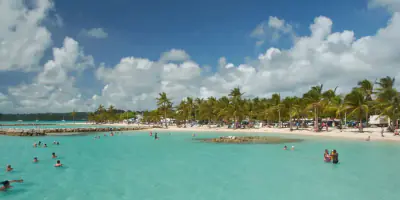
Spend the morning in Little Bay at the Montserrat Cultural Centre, with its wall of musicians' handprints, and the small national museum. Hike over the headland from Little Bay to Rendezvous Bay, the island's only white-sand beach, or take a boat there, and snorkel in calm water. If time allows, join a two-hour boat tour from Little Bay down the west coast to see Plymouth from the sea; boats cannot land inside Zone V.
Signal Little Bay has reliable 4G, but signal is weak at Rendezvous Bay, behind the headland; on the coast boat trip, expect it to come and go.
Staying connected on this route
- Your plan covers Montserrat only, so use separate cover or airport wifi while you connect through Antigua.
- Check the Montserrat Volcano Observatory's updates on your phone before any trip south; Zone V needs permission to enter.
- Save your flight booking reference and airline contacts offline, as short-notice schedule changes are common.
- A siren at midday is the daily test; at any other time, check Radio Montserrat or official updates.
Itinerary sources · 4
- en.wikivoyage.org Wikivoyage: Montserrat
- gov.uk GOV.UK foreign travel advice: Montserrat safety and security
- gov.uk GOV.UK foreign travel advice: Montserrat regional risks
- en.wikipedia.org Wikipedia: John A. Osborne Airport
Information and verification
Each block below says what was checked and when. Anything we cannot date, we do not claim.
- Prices and plans
- Every price and allowance on this page is read from the live catalog, not typed in.
- Host networks
- The operator list comes from the network partner that carries this eSIM.
Montserrat eSIM prices
| Data | Price | Per day |
|---|---|---|
| Unlimited | $43.99 | $14.66/day |
| Data | Price | Per day |
|---|---|---|
| Unlimited | $69.99 | $14.00/day |
| Data | Price | Per day |
|---|---|---|
| Unlimited | $139.99 | $14.00/day |
| Data | Price | Per day |
|---|---|---|
| 3 GBBest value | $26.00 | $0.87/day |
| 5 GB | $39.99 | $1.33/day |
| 10 GB | $72.99 | $2.43/day |
| 20 GB | $144.99 | $4.83/day |
| Unlimited | $364.99 | $12.17/day |
| Data | Price | Per day |
|---|---|---|
| Unlimited | $729.99 | $12.17/day |
| Data | Price | Per day |
|---|---|---|
| Unlimited | $1,089.99 | $12.11/day |
| Data | Price | Per day |
|---|---|---|
| Unlimited | $2,174.99 | $12.08/day |
Going to more than one country?
Regional plans that also cover Montserrat


Destinations