










eSIM for South Korea 
Viasimo's South Korea eSIM starts at $1.29 for 500 MB over 7 days, running on LG Uplus and SKTelecom with 5G where available. Plans last 3 to 180 days, arrive by email in minutes and install from your phone's settings, with no app.
Works everywhere in South Korea
- Busan
- Chungcheongnam-do
- Daegu
- Daejeon
- Gangwon-do
- Gwangju
- Gyeonggi-do
Select your planIn stock
Duration
Quantity
1
Unlimited data · 3 Days$8.00







Unlimited data · 3 Days ×1
$8.00
Does my phone take an eSIM? Check now
Dial *#06# on your phone. If you see an EID number, your phone takes an eSIM. Most phones sold since 2019 do.
Not sure it works on your phone? Check compatibilityWhich networks does the South Korea eSIM use?
Host networks: LG Uplus / SKTelecom
Your eSIM picks one automatically; you do not choose or switch between them.
- Data
- 100 MB – 50 GB or unlimited
- Validity
- 3–180 days
- Speed
- 4G LTE / 5G
- Hotspot / tethering
- Supported on most devices
- Activation
- Automatic on arrival
- Speed management
- Roughly 2-3 GB per day at full speed, sometimes less depending on the local carrier, then reduced
- Top-ups
- Add more data from your account, before the plan expires
- Text messages (SMS)
- Data only: use an app for verification codes
- Connects via
- Singapore
- Unused validity
- 180 days before it must be installed
How much data do you need?
The allowances below are our sizing recommendations, not measurements. The plan beside each one is the cheapest option on this page that covers it.
| You are | Plan for | Cheapest plan that covers it |
|---|---|---|
| LightMaps, messaging and the occasional lookup | About 1 GB a week | $1.791 GB, 7 days |
| TypicalMaps, social, photos and some browsing | About 3 to 7 GB a week | $5.005 GB, 30 days |
| HeavyVideo streaming, video calls and uploads | 10 GB a week or more | $9.0010 GB, 30 days |
| Working or sharingTethering a laptop, calls and cloud sync | 20 GB a week or more | $14.9920 GB, 30 days |
eSIM, local SIM or roaming?
Charged per day
Your carrier roaming
Queue and plastic
A SIM at the airport
$1.29
Viasimo, one bundle
Only the Viasimo figure is a price: it comes from today’s live catalog. The other two rows are directional, not quoted rates.
Important to know
- This is a data-only eSIM. It carries no calls or SMS on its own number.
- Your existing number stays on your primary SIM, so calls and verification texts keep working.
- Your phone must support eSIM, and some carrier-locked phones cannot install one.
- Signal varies with location, terrain, congestion and your handset. Dense urban areas are consistently better served than remote ones.
- 5G only works where the host network has deployed it and your phone supports it. Everywhere else it falls back to 4G LTE.
- The eSIM selects a host network automatically. You cannot pick or switch between them.
- Unlimited plans run at full speed up to a fair-use limit, then continue at a reduced speed. Read the fair usage policy
Frequently asked questions
Does an eSIM work in South Korea?
Yes. Your South Korea eSIM connects automatically the moment you arrive, with no roaming fees and nothing to set up at the airport. The host networks it can use are LG Uplus, SKTelecom. Coverage runs on 4G LTE and 5G where the network has rolled it out, and falls back to 4G elsewhere.
Do I get 5G in South Korea?
Yes, where it has been deployed. 5G runs on LG Uplus, SKTelecom in South Korea, and your eSIM uses it automatically on a 5G-capable phone, dropping back to 4G LTE outside covered areas. No country is covered everywhere, so 5G availability varies by location.
Do I need a K-ETA to visit South Korea in 2026?
Not if you are from a temporarily exempt country. The UK Foreign Office says British nationals travelling visa-free are exempt until 31 December 2026. If you need one, apply only through the official Korean government K-ETA site and allow up to 72 hours. Separately, you can submit the free online e-Arrival card in the 72 hours before landing.
Does Google Maps work in South Korea?
Only partly, for now. Detailed navigation has long been limited because map data couldn't leave the country. In 2026 the government allowed Google to export 1:5,000 map data under security conditions, which should improve navigation over time. Until then, Naver Map and Kakao Map give reliable walking, transit and driving directions, and both have English interfaces.
Which Korean mobile network does my eSIM use?
It connects to SK Telecom or LG Uplus, with 5G. In Opensignal's December 2025 report, SK Telecom won nine awards outright and shared three, while LG Uplus won 5G Availability. KT, the third operator, won 5G Download Speed. Leave network selection on automatic, and your phone will pick the stronger of the two networks.
What is the 1330 number in Korea?
1330 is the Korea Tourism Organization's travel hotline, open from 7am to midnight with English and other languages. It can set up three-way calls with emergency services to help with interpretation. For emergencies, call 112 for police or 119 for ambulance and fire. The eSIM is data-only, so call from your home SIM.
How much data do I need for 7 days in South Korea?
For 7 days in South Korea, Viasimo sells 100 MB for $1.29, 500 MB for $1.29, 1 GB for $1.79, and unlimited data for $17.00. Our sizing recommendation, not a measurement: maps, messaging and the occasional lookup, about 1 GB a week; maps, social, photos and some browsing, about 3 to 7 GB a week. The data calculator on this site works it out from how you actually use your phone.
Installing, keeping your number, topping up and hotspot work the same everywhere: see how it works →
South Korea: what to know before you land
In South Korea your eSIM connects to SK Telecom or LG Uplus, with 5G. SK Telecom collected the most awards in Opensignal's December 2025 report, and LG Uplus won for 5G availability. Before you fly, check the online e-Arrival card and whether you are exempt from K-ETA, because UK nationals are exempt until the end of 2026.
- Emergency
-
- 112 police
- 119 ambulance and fire
- Plugs
- CF 220V
- Currency
- South Korean won (KRW)
Main airports
- ICN Incheon International Airport
- GMP Gimpo International Airport
- PUS Gimhae International Airport
- CJU Jeju International Airport
Apps worth having Naver MapKakao MapKakaoTalkKakao TPapago
K-ETA, the e-Arrival card and Q-Code before Incheon (ICN)
South Korea uses an electronic travel authorisation called K-ETA for visa-free visitors, but several nationalities are temporarily exempt. The UK Foreign Office says British nationals travelling visa-free are exempt until 31 December 2026. If you are not exempt, apply only through the official Korean government K-ETA website, and allow up to 72 hours for approval. The Foreign Office warns that other websites offering K-ETA are generally scams.
The paper arrival card now has an online alternative, the e-Arrival card. It is free and can be submitted in the 72 hours before you land. Fill it in before you leave for the airport, rather than in the queue at Incheon (ICN), Gimpo (GMP) or Gimhae (PUS).
There is also a health check. The UK is currently classed as a "Quarantine Inspection Required Area", so if you have any symptoms of illness you must complete a Q-Code online health questionnaire, or a paper form, on arrival. Failing to complete required health screening can lead to a fine of up to KRW 10 million. Have your eSIM switched on as you taxi in so you can complete the questionnaire on your phone if you need to.
SK Telecom and LG Uplus in Opensignal's December 2025 report
South Korea has three mobile network operators: SK Telecom, KT and LG Uplus. In Opensignal's December 2025 report, SK Telecom won nine awards outright and shared three more. LG Uplus took three, including 5G Availability, meaning its users spent the most time connected to 5G. KT also won three, including 5G Download Speed.
Your eSIM uses SK Telecom or LG Uplus, so you are on the network with the most overall wins or the one that keeps users on 5G the longest. It is not tied to just one of them. Network selection is automatic, so leave it that way. Your phone will use whichever of the two your plan offers the strongest signal for.
Korean networks are designed for very heavy use: 4K streaming on the subway, video calls on the KTX, and live broadcasts from crowded concerts. Even so, the national parks and outlying islands have gaps, as on any network. Use the strong urban coverage to download hiking maps and ferry tickets before you head to Seoraksan, Jirisan or the smaller islands off Jeju.
The 1330 hotline and Korea's emergency numbers
South Korea's emergency numbers are 112 for the police and 119 for both ambulance and fire. The Korea Tourism Organization runs the 1330 travel hotline from 7am to midnight. It offers English and other languages, and it can set up three-way calls with the emergency services if you are struggling to explain what is happening. For round-the-clock interpretation, the Danuri call centre on 1577 1366 is open 24 hours a day.
Your eSIM is data-only, so you can't call these numbers on it. Use your home SIM, which can still reach emergency services and normally connects to 1330 while roaming, at your carrier's call rates. Save all three numbers before you travel.
For non-urgent problems, such as a lost bag in a taxi or a question about a bus route, you can often get faster help by messaging your accommodation on KakaoTalk or WhatsApp. Korean hosts usually reply quickly, and a written message is easier to translate than a phone call. Keep a screenshot of your hotel's address in Korean script, so you can show it to a driver or a police officer if you need to.
Researched October 2026 · 4 sources
- gov.uk South Korea travel advice: entry requirements (GOV.UK)
- gov.uk South Korea travel advice: getting help (GOV.UK)
- insights.opensignal.com South Korea mobile network experience, December 2025 (Opensignal)
- en.wikipedia.org Google Maps (Wikipedia)
Seven days in South Korea: Seoul, Gyeongju and Busan
A first-timer's week by fast train: three days of palaces, markets and the DMZ from Seoul, two days among the royal tombs and temples of Gyeongju, and two days on the coast in Busan. The KTX makes it easy to do without a car.
When to go April to early June and late September to November are the best times, with spring blossom and autumn colour and mild weather; July and August are hot, humid and wet with the monsoon, and winter is cold and dry, especially in Seoul.
-
Day 1 Seoul
Seoul: Gyeongbokgung, Bukchon and Insadong
The AREX express train from Incheon airport (ICN) to Seoul Station takes about 45–50 minutes.
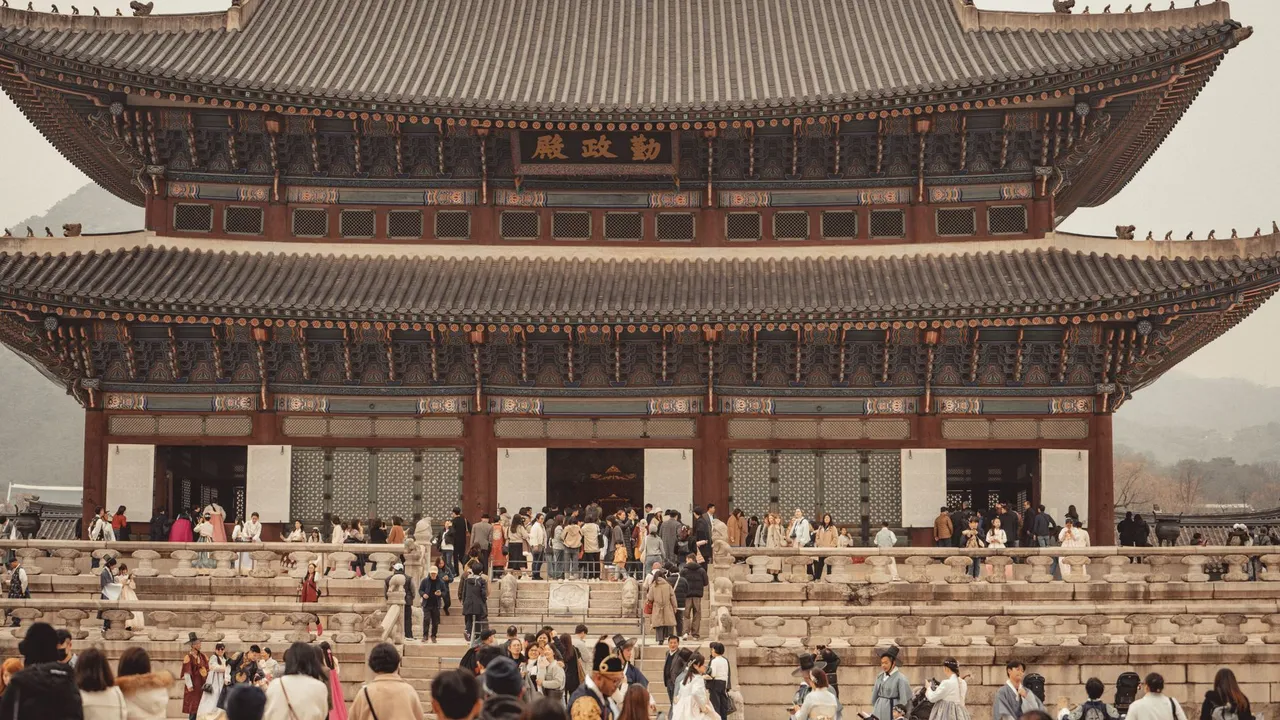
Start at Gyeongbokgung, the main Joseon-dynasty palace, timing your visit for the changing of the guard at Gwanghwamun Gate, and visit the National Folk Museum inside the grounds. Walk up through Bukchon Hanok Village, where traditional tiled houses line the hillside lanes; keep your voice down, as people live there. Continue to Insadong for tea houses and craft shops, then walk along the Cheonggyecheon stream in the evening.
Signal Seoul has some of the densest 5G in the world on SK Telecom and LG Uplus, including in subway stations and on trains.
-
Day 2 Seoul
Changdeokgung, Namsan and Myeongdong
Visit Changdeokgung, a UNESCO-listed palace laid out to follow the hills, and book the guided tour of its Secret Garden (Huwon) in advance. In the afternoon, explore Gwangjang Market, one of the city's oldest, for mung bean pancakes and other street food. Take the cable car or walk up Namsan to N Seoul Tower for the view at sunset, and finish in Myeongdong's shopping streets.
Signal 5G is strong across central Seoul, including Gwangjang Market and the Namsan cable car; use Naver Map or Kakao Map for live transit times.
-
Day 3 Seoul
The DMZ
Most DMZ tours leave central Seoul early and take about 1 hour to 1 hour 30 minutes to reach the area.
Join an organised tour to the Demilitarised Zone north of Seoul. Typical stops include Imjingak Park and the Freedom Bridge, the Third Infiltration Tunnel dug from the North, which you walk down into, and the Dora Observatory, which looks across into North Korea. Bring your passport, which is checked at military checkpoints, and follow the guides' rules on photography. Return to Seoul for the evening in Hongdae or Itaewon.
Signal Coverage is generally good on the way, but there is no signal inside the infiltration tunnel, and photography is restricted at some sites.
-
Day 4 Gyeongju
KTX to Gyeongju: tombs and Cheomseongdae
KTX from Seoul Station to Singyeongju takes about 2 hours 10 minutes; a bus or taxi to the centre takes about 20 minutes.
Take the KTX south to Gyeongju, capital of the Silla kingdom for almost 1,000 years. Walk through Daereungwon, a park of grassy royal burial mounds, and go inside the Cheonmachong tomb to see how they were built. Continue to Cheomseongdae, a 7th-century stone observatory, and the Gyeongju National Museum. At dusk, visit Donggung Palace and Wolji Pond, where the reconstructed pavilions are lit and reflected in the water.
Signal Coverage holds on the KTX for most of the journey, switching between 5G and LTE, and Gyeongju's centre has reliable 5G and 4G.
-
Day 5 Gyeongju
Bulguksa and Seokguram
Bulguksa is about 30–40 minutes by bus from central Gyeongju; Seokguram is about 15 minutes further by shuttle bus or an hour on foot.
Take the bus to Bulguksa, a UNESCO-listed Buddhist temple with stone pagodas and wooden halls on stone terraces. From there, take the shuttle bus or walk the forest trail up Tohamsan to Seokguram Grotto, where a granite Buddha sits in an artificial cave looking towards the East Sea. In the afternoon, rent a bike and ride around Bomun Lake, or explore the Hwangnidan-gil lanes in town.
Signal 4G is good at Bulguksa and at the Seokguram car park; signal is weaker on the forest trail up the mountain.
-
Day 6 Busan
Busan: Gamcheon and Jagalchi
KTX from Singyeongju to Busan takes about 30 minutes; buses from Gyeongju take about an hour.
Travel to Busan and head to Gamcheon Culture Village, a hillside of painted houses and art installations above the harbour. Come down to Jagalchi Fish Market, the largest in Korea, where you can choose seafood downstairs and have it cooked upstairs. Walk through the BIFF Square street food stalls and the Gukje Market, then take the Busan Tower lift in Yongdusan Park for views over the port.
Signal Busan has 5G across the centre and in the metro; reception is slightly weaker in the narrow alleys of Gamcheon but still usable.
-
Day 7 Busan
Haedong Yonggungsa and Haeundae
Haedong Yonggungsa is about 30 minutes by taxi from Haeundae; KTX from Busan to Seoul takes about 2 hours 30 minutes.
Visit Haedong Yonggungsa, a Buddhist temple built on the rocks right by the sea on Busan's north-east coast, best early before tour groups arrive. Then head to Haeundae for its beach and the Dongbaek Island coastal walk, or ride the Haeundae Blueline Park sky capsules along the coast to Cheongsapo. Fly out from Gimhae or take the KTX back to Seoul for your departure.
Signal Strong 5G along the Haeundae coast and at Gimhae airport; the temple's seaside rocks also keep a good signal.
Staying connected on this route
- Install Naver Map or Kakao Map and Papago before you fly, as Google Maps navigation is still limited.
- Submit the free e-Arrival card in the 72 hours before landing, and check whether you need K-ETA.
- Book the Changdeokgung Secret Garden tour and DMZ tour online in advance and save the confirmations.
- Keep your passport with you on DMZ day; checkpoints and tunnels have no signal for showing documents online.
Itinerary sources · 5
- whc.unesco.org UNESCO World Heritage: Changdeokgung Palace Complex
- whc.unesco.org UNESCO World Heritage: Seokguram Grotto and Bulguksa Temple
- whc.unesco.org UNESCO World Heritage: Gyeongju Historic Areas
- gov.uk GOV.UK foreign travel advice: South Korea entry requirements
- insights.opensignal.com Opensignal: South Korea
Information and verification
Each block below says what was checked and when. Anything we cannot date, we do not claim.
- Prices and plans
- Every price and allowance on this page is read from the live catalog, not typed in.
- Host networks
- The operator list comes from the network partner that carries this eSIM.
Transparent pricing
South Korea eSIM prices
| Data | Price | Per day |
|---|---|---|
| Unlimited | $8.00 | $2.67/day |
| Data | Price | Per day |
|---|---|---|
| Unlimited | $12.99 | $2.60/day |
| Data | Price | Per day |
|---|---|---|
| Unlimited | $22.99 | $2.30/day |
| Data | Price | Per day |
|---|---|---|
| Unlimited | $124.99 | $2.08/day |
| Data | Price | Per day |
|---|---|---|
| Unlimited | $189.99 | $2.11/day |
| Data | Price | Per day |
|---|---|---|
| Unlimited | $369.99 | $2.06/day |
Going to more than one country?
Regional plans that also cover South Korea
Destinations
Popular eSIM destinations
Travel guides
Read before you go


